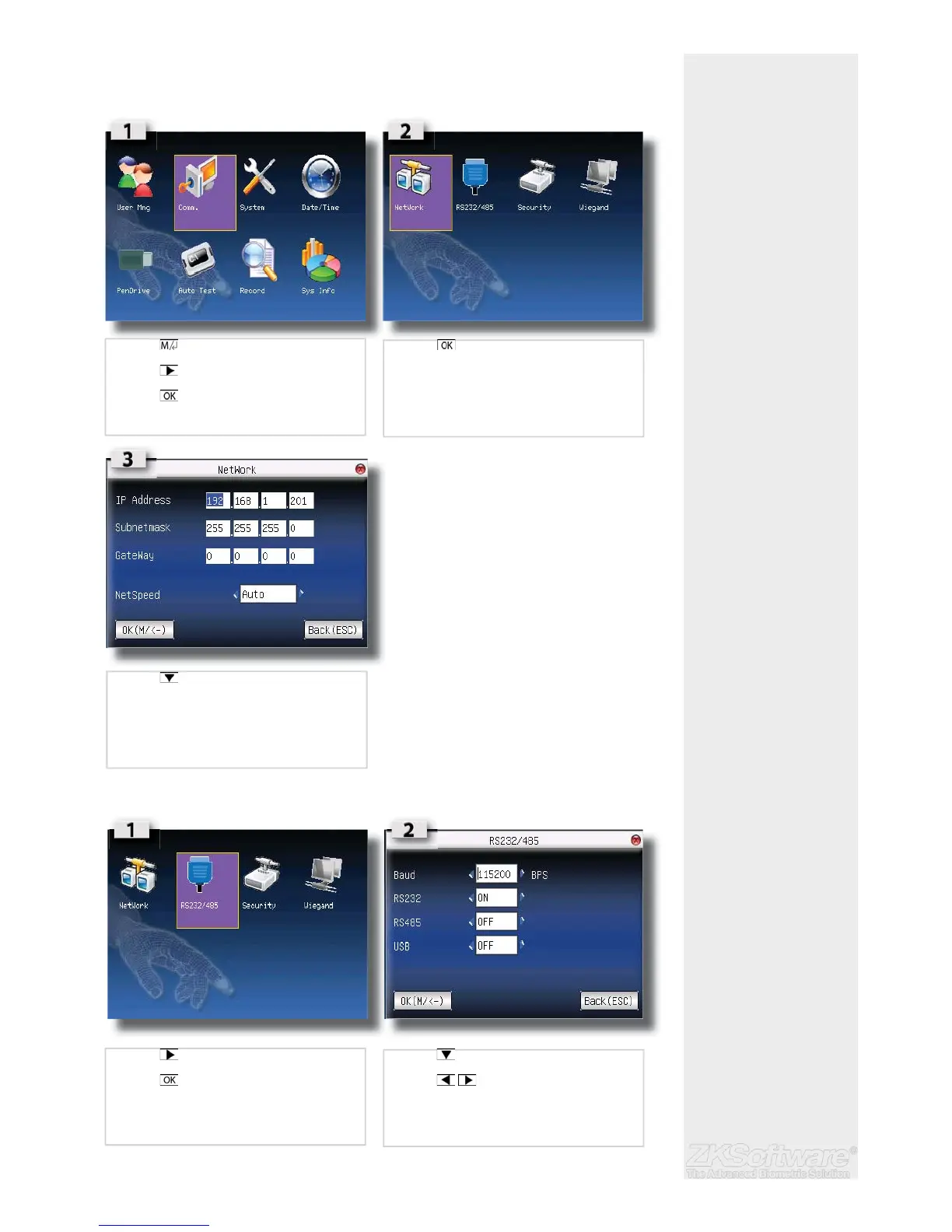
4. Communications
4.1 Network (TCP/IP)
4.2 RS232 / 485
Summary
* Recommended distance
** RS232 = 20m - 60m
*** Could be affected by
distance and power cables
running parallel with unit
cable
** RS485 = 1000m (max)
*** Could be affected by
power cables
* Ensure to assign a static
address, units will not work
on DHCP
16
• Press once
• Press once
• Press
• Press on NETWORK
• Press to desired fi eld, and complete the
values
• Press once to select RS232/485
• Press
• Press to select fi eld
• Press to change values


 To Next Page