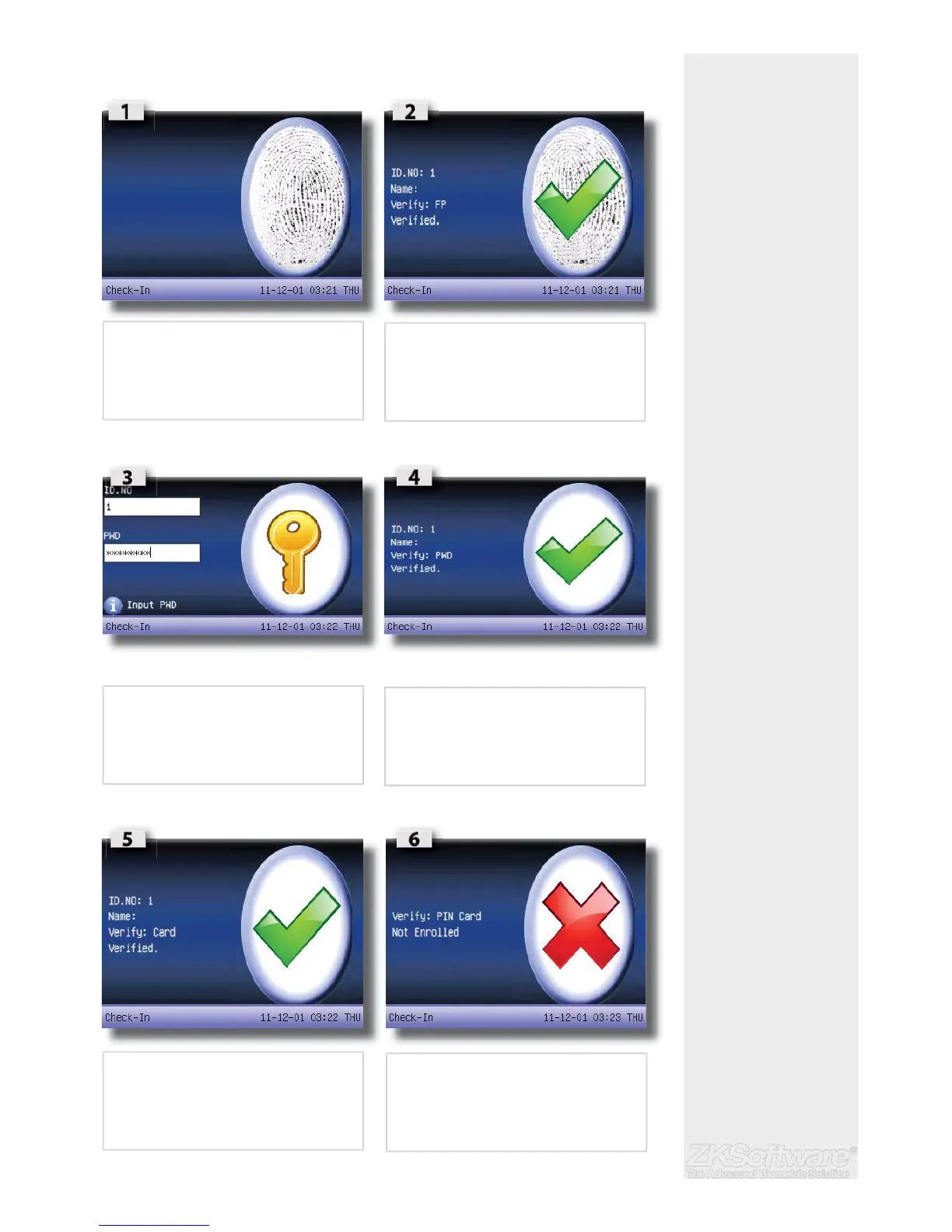
2.8 Fingerprint & Password Verifi cation
2.8.1 Fingerprint verifi cation
2.8.2 Password verifi cation
2.8.3 Card verifi cation
Summary
*Take note of verifi cation
screens
* Declined verifi cation will
show on screen.
8
• Press fi ngerprint for verifi cation
• Type your password for verifi cation
• Successful verifi cation
• Punch your card for verifi cation
• Declined verifi cation will indicate the image
above.


 To Next Page