Summary
* Password may contain
numbers ranging from 1 - 8
digits.
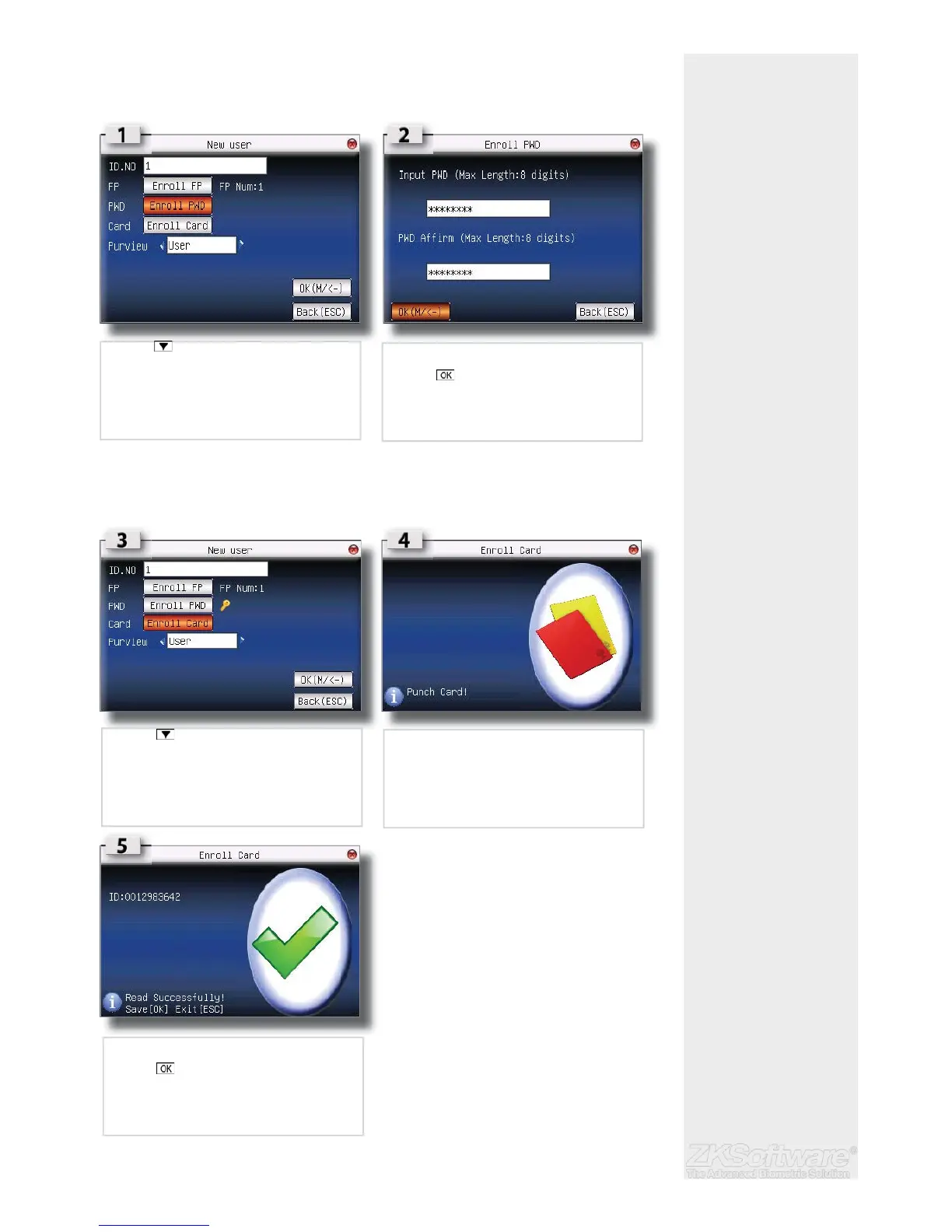
2.6 Password Enrolment
If a user cannot enrol his fi ngerprint, he can choose to use passwords. Follow the steps
below:
2.7 RFID Card Enrolment
If a user cannot enrol his fi ngerprint, he can choose to use a RFID Card. Follow the steps
below:
* RFID card is for added
security on the unit, or if the
user can’t use a fringerprint
7
• Press 3x times to enrol passowrd
• Type a numeric password in the fi leds
• Press to enter
• Press 4x times to enrol a RFID card
• Punch the card to enrol
• Confi rmation of enrolment
• Press to save OR
• Press ESC exit


 To Next Page