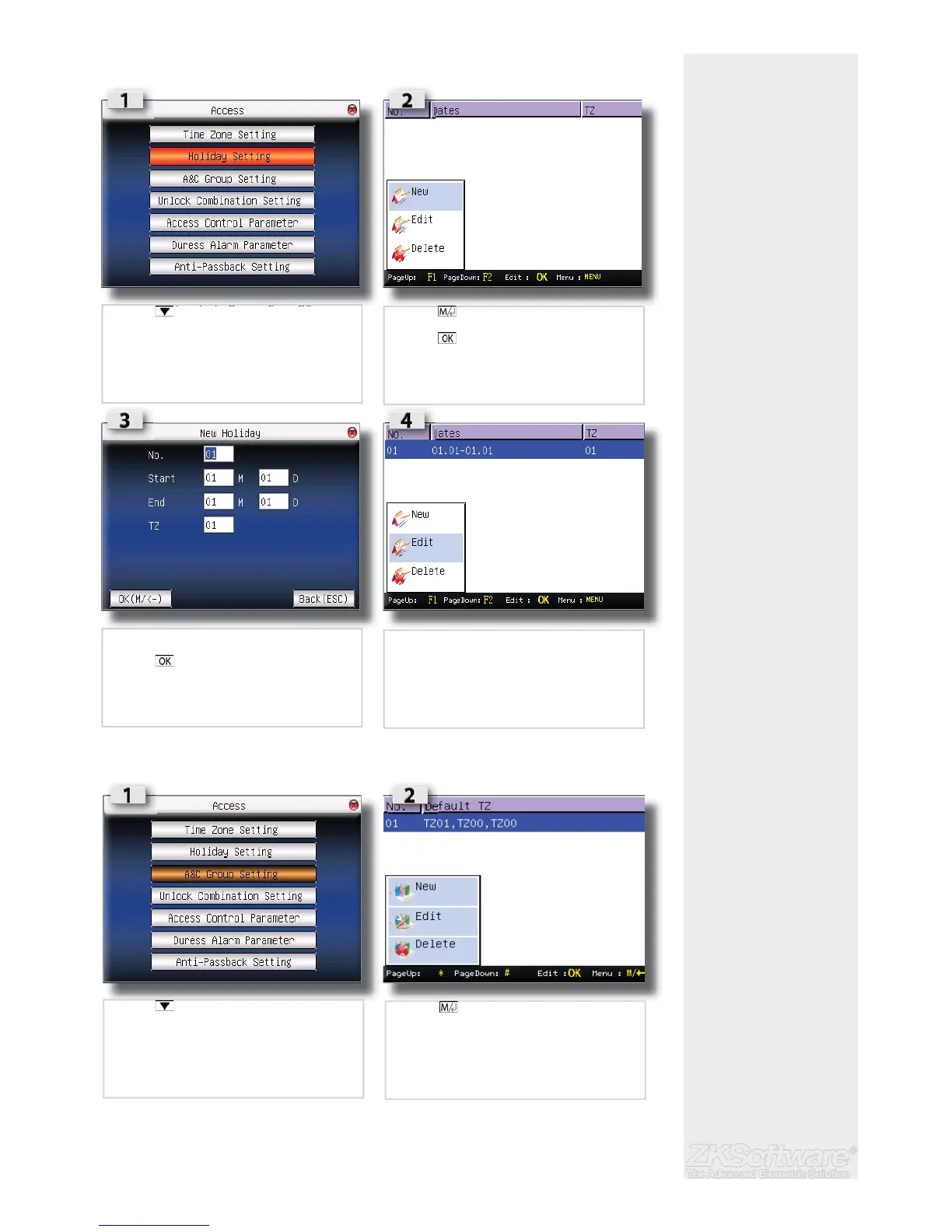
3.2.2 Assign a Holiday Time Zone
3.2.3 Create or Edit a Access Control Group setting
Summary
* Ensure to capture all holi-
days when setting up.
* Recommended to create
holiday time zones to deny
access, rather than deny
access per user for holidays
* Delete is only available
when a new group is cre-
ated. There must always be
a group active.
12
• Press to select HOLIDAY SETTINGS
• Press to open options window
• Press to create a new settings
• Insert values
• Press to save
• EDIT / DELETE are available to change and
delete
• Press to select A&C SETTINGS
• Press to open options window
• Note that Time Zone is already available
• NEW / EDIT / DELETE options are available


 To Next Page