16
3.3 I Operaon
3.3.1 Starng up the appliance
• Check that there are no tools or other foreign objects in the appliance,
• Ret the panel providing access to the technical part (see § “1.3 I Dimensions and marking”),
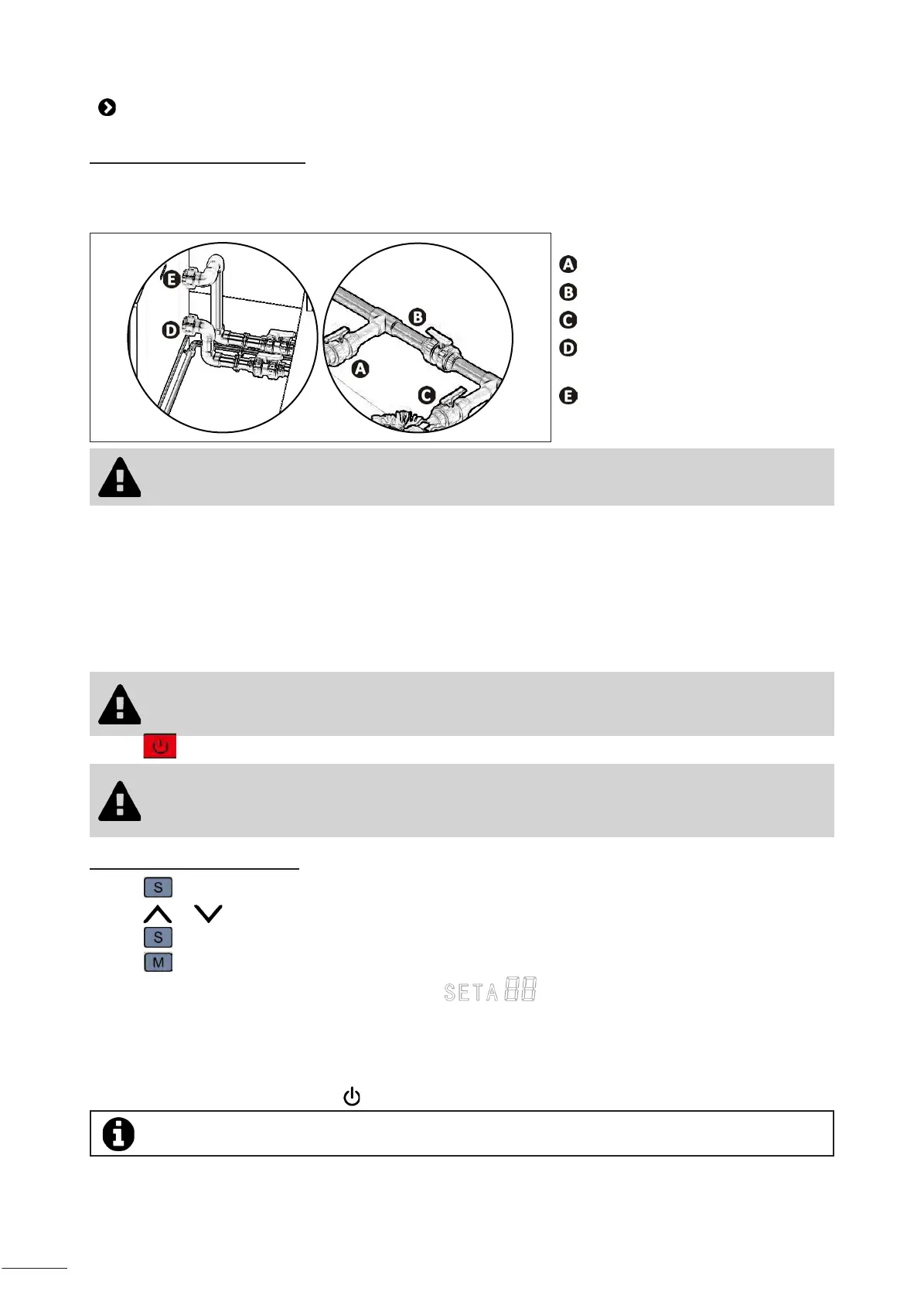
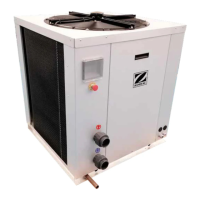
• Set the valves as follows: valve B wide open, valves A, C, D and E closed.
: water inlet valve
: by-pass valve
: water outlet valve
: water inlet adjustment valve
(oponal)
: water outlet adjustment valve
(oponal)
• An incorrect by-pass seng may cause the heat pump to malfuncon.
• Check that the hydraulic connecons are correctly ghtened and that there are no leaks.
• Check that the appliance is stable.
• Turn on the water ow (by acvang ltraon).
• Close valve B gradually so that the lter pressure is increased by 150g (0.150 bars).
• Open valves A, C and D fully then valve E by half (the air which has built up in the heat pump condenser and the
ltraon circuit will bleed out). If valves D and E are not present, open valve A wide and close valve C by half.
• Connect the power supply to the heat pump.
• Power up the device by connecng the external general switch to the appliance. Once the appliance is connected,
check the phase currents.
• The appliance is ed with a crankcase heater: it must be powered for at least one hour
before it is switched on so that the compressor oil reaches opmal operang condion and
can lubricate the components that it contains.
• Press to switch the appliance on.
• Check the currents of the electric motors, ensuring that they do not exceed the specied
values.
• Check the gas load (high and low pressure gauges must be installed in the cooling circuit).
3.3.2 Conguring the setpoint
• Press to enter the temperature seng mode.
• Press or to change the temperature * (press and hold for rapid scrolling).
• Press to conrm the seng.
• Press to exit the temperature seng mode.
• The setpoint temperature is displayed on the screen:
Aer the start-up steps for your heat pump:
• Shut down the water circulaon temporarily (by stopping the ltraon or closing valve B or C) to check that your
appliance stops aer a few seconds (via the acvaon of the ow switch).
• Reduce the temperature setpoint to below the water temperature to check that the heat pump stops operang.
• Switch o the heat pump by pressing and check that it stops.
*Maximum setpoint temperature = 40°C / Minimum setpoint temperature = 10°C.


 To Next Page