17
3.4 I User funcons
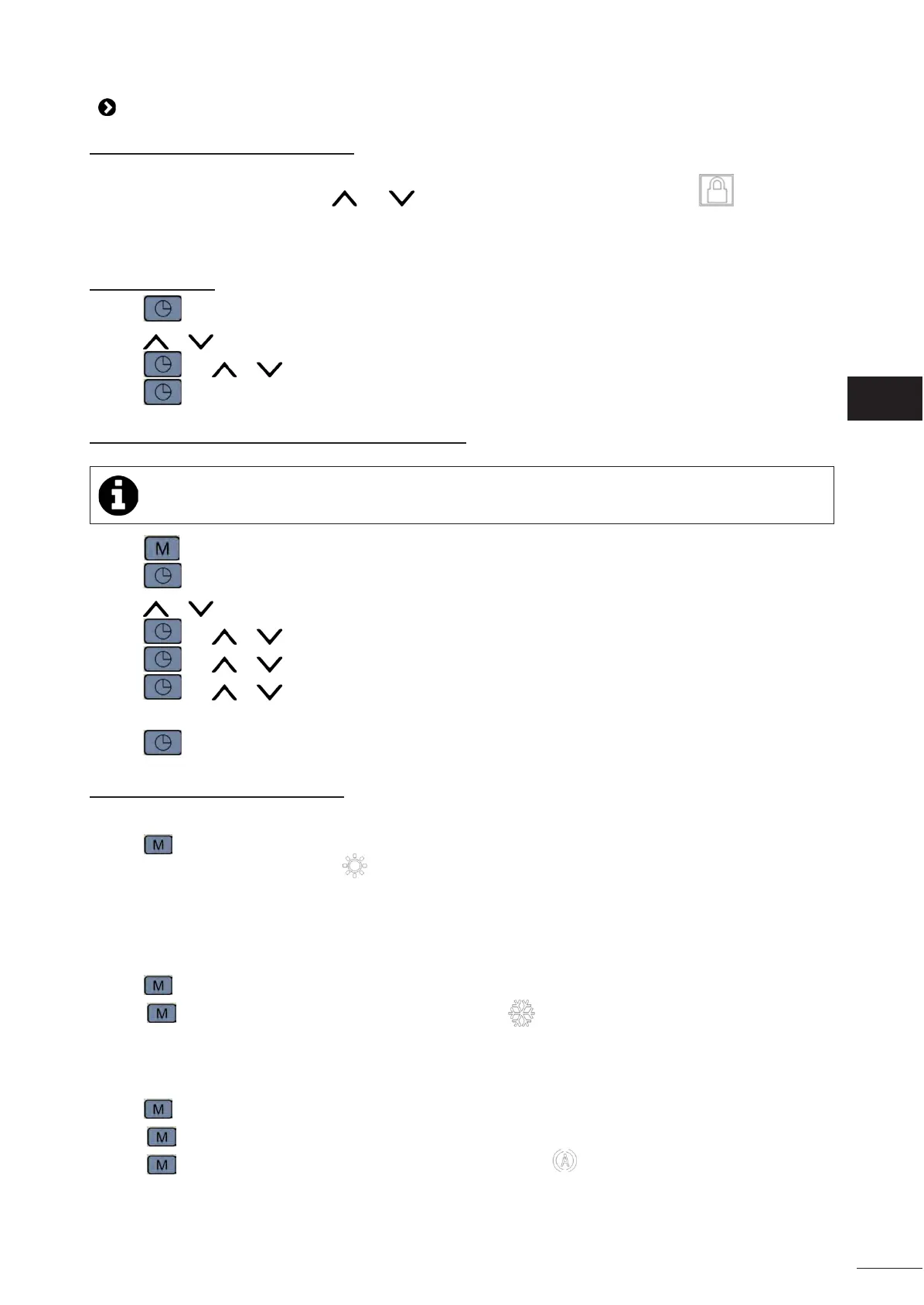
3.4.1 Locking/unlocking the keyboard
To lock or unlock the keyboard, press and simultaneously for 5 seconds: the lock icon appears on the
home screen when the keypad is locked and disappears when it is unlocked.
3.4.2 Time seng
• Press .
• Press or to set the hours.
• Press and or to set the minutes.
• Press to conrm and return to the main menu.
3.4.3 Acvaon/deacvaon of "Time programming"
• If "Time programming" is acvated but no period has been programmed, the appliance will not start.
• Press for at least 2 seconds.
• Press for at least 5 seconds. The start and end mes of the rst period are displayed.
• Press or to set the start me for the rst period.
• Press and or to set the minutes.
• Press and or to set the end me for the rst period.
• Press and or to set the minutes.
• Repeat the process to program the mes for periods 2 and 3 if necessary.
• Press to conrm and return to the main menu.
3.4.4 Acvang/deacvang modes
“Heang” mode
• Press .
• “Heang” mode is acvated and the icon is displayed on the home screen.
“Cooling“ mode
Acvang the “Cooling” mode allows the appliance’s cycle to be reversed to cool the pool water when it exceeds the
setpoint temperature by more than 1°C (congurable).
• Press . ”Heang” mode is acvated.
• Press a second me. “Cooling” mode is acvated and the icon is displayed on the home screen.
“ Heang/Cooling“ mode
Acvang the “Heang/Cooling“ mode allows the appliance to automacally heat or cool the pool water depending on
the pool water temperature or the setpoint temperature.
• Press . ”Heang” mode is acvated.
• Press a second me. “Cooling” mode is acvated.
• Press a third me. “Heang/Cooling“ mode is acvated and the icon is displayed on the home screen.


 To Next Page