ZONEMASTER MAXIPOINT V2 DAMPER CONTROL SYSTEM - Installation Manual
10
7) Recommended Commissioning Procedure
7.1 Initiating and Exiting Setting Process
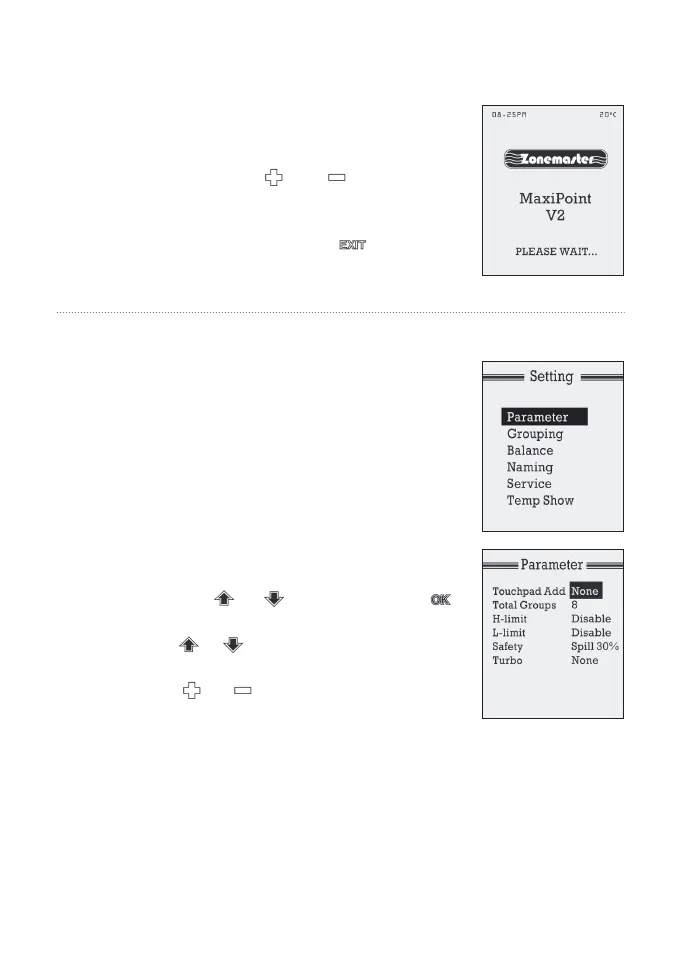
NOTE: Wait till ‘Please Wait’ disappears
from LCD screen before initiating
a) Hold down both and buttons for
about 5 seconds until the LCD displays
‘Setting’menuontheLCDscreen.
b) At Setting mode, pressing button
at any time will return to the normal
operation mode.
7.2 Setting Parameters
1) Touchpad Address
One or multiple (up to 4) touchpads can be
installed in one MaxiPoint V 2 system. Each
touchpadhasadefaultaddressof‘None’.
During commissioning, each touchpad
should be assigned a unique address for
them to communicate with the main control
module properly. Follow the steps below to
set Touchpad Address:
a) At the settingmode,select‘Parameter’by
pressing or button. Then press
buttontoenter‘Parameter’screen
b) Use or button to select Touchpad
Add (highlighted).
c) Use or button to select a
touchpad address from 1 to 4.
NOTE: Each controller (touchpad) must have a unique address.
The same address for any other touchpad will cause communication
problems between the main control module and the touchpad.
If this happens, ‘CHECK ADDRESS’ will display at the bottom of LCD
screen and the ON/OFF function will be locked until the conicting
addresses are resolved.


 To Next Page