ZONEMASTER MAXIPOINT V2 DAMPER CONTROL SYSTEM - Installation Manual
14
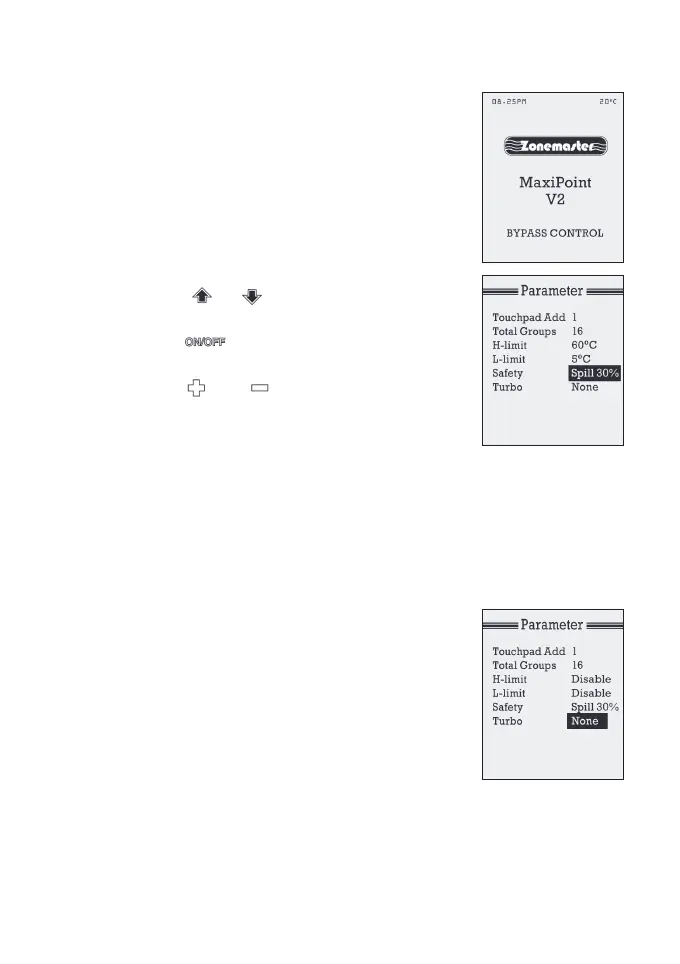
The factory default is set in spill mode and the
set-pointis30%.Whenthesetpointisreached
forspill,thescreenshows‘SPILLCONTROL’
and some of the lower order zones remain open
and will not respond to ON/OFF operation.
Similarly if bypass set point is reached the
screendisplays‘BYPASSCONTROL’asshown
intherightgure.
a) Atthesettingmodein‘Parameter’screen,
press or button to select
‘SafetySpill’.
b) Press button to select Spill or
Bypass mode.
c) Press or button to change
thespill/bypassset-pointtorequired
value.Theadjustablerangeisfrom0%
to50%with10%increments.
IMPORTANT: DO NOT set spill/bypass set-point to 0% unless there is
apermanentopenzoneusedasspillzone.Otherwise,therewillbe
no spill zone when all zones are closed and damage may be caused
byhighpressurebuildupinsideductsifairconditionerisrunning.
5) Turbo Group
The Turbo function will give the selected group
afull-openingwhilealltheothergroups
(dampers) opening positions are reduced by
50%oftheirbalancedvalue.Thiswillbringa
large volume of extra air into the designated
area and cool or heat the area quicker. Typically
thismaybeafamily-room,diningroomorhome
theatre (or in commercial application a meeting,
lunch or board room). (See Grouping Zones
section for how to group).


 To Next Page