ZONEMASTER MAXIPOINT V2 DAMPER CONTROL SYSTEM - Installation Manual
11
2) Number of Groups in the System
For the purpose of group status display and spill/bypass zone
calculation, the system needs to know the total number of groups to be
installed. Its factory default value is 8.
IMPORTANT: This input number must be equal to the total group
numberusedinthesystemasplannedinPre-Installationprocess.If
thisiswrong,thesystemmaynotworkproperly.
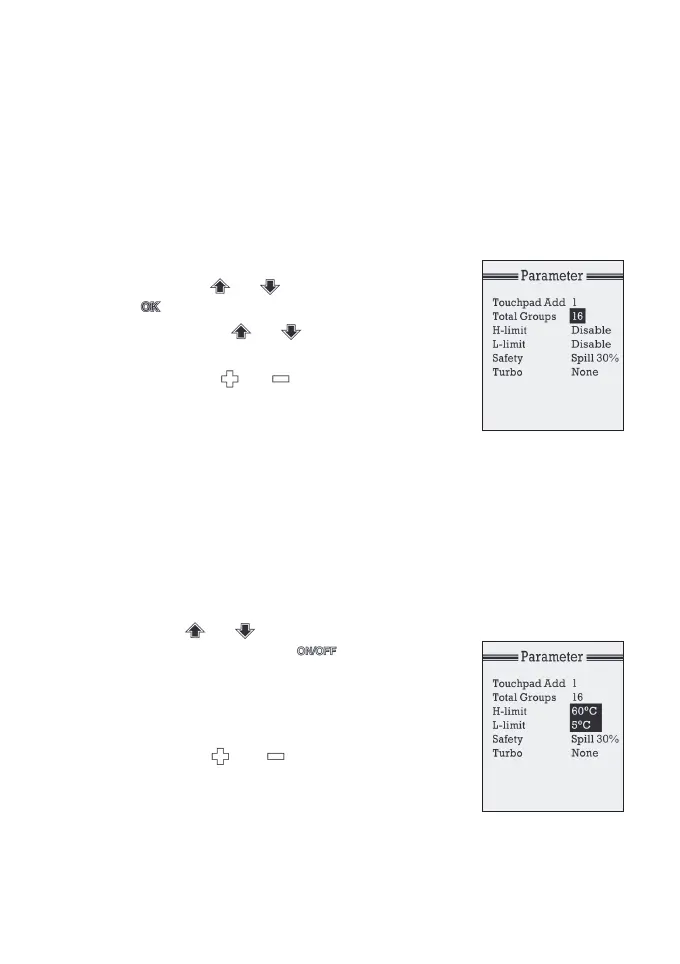
a) AttheSettingmode,select‘Parameter’
by using or button. Then press
buttontoenterthe‘Parameter’screen.
b) Use arrows or button to scroll
down to Total Groups line.
c) Press the or button to change
the number to the total number of groups
in the system. The selectable number is
1 to 16.
3) Supply Air Safety High & Low Limits
For safety reasons, the system can monitor the supply air temperature. If
the temperature moves outside the set limits, all dampers in the system
are forced open. The factory default setting is that the safety control is
disabled. Setting this feature is optional.
a) At theSettingmodein‘Parameter’screen,
pressorbuttontoselect‘H-limit’
or‘L-limit’,andpressbuttonto
enablethesafetycontrol.TheH-limit
shows60°CasdefaultandL-limitshows
5°C as default.
b) Change theset-pointtorequiredvaluesby
pressing or button. The
adjustable range of the high limit is from
45 to 75°C and adjustable range of the
low limit is from 0 to 15°C.



 To Next Page