
 Need help?
Do you have a question about the ZONEMASTER MAXIPOINT V2 and is the answer not in the manual?
Explains the Zonemaster MaxiPoint V2 control system for managing air flow in various applications.
Lists key features of the MaxiPoint V2 system, including zone support, touchpad capabilities, and programmable functions.
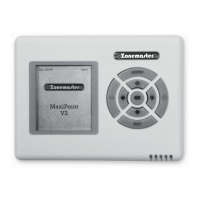
Describes the wall controller (touchpad) for inputting commands and displaying system information.
Explains the main and extension modules responsible for controlling zone dampers.
Details the motorized damper's function in controlling air supply to each zone.
Covers cables for connection and the supply air sensor for safety monitoring.
Discusses power transformers and the backup battery for system operation.
Outlines the star architecture and how the extension module expands the system to 16 zones.
Covers zone count, zone assignment, and group definition for system planning.
Emphasizes testing cables before installation to save diagnostic time.
Instructions for securely mounting the main and extension control modules.
Steps to open the control modules to expose LEDs and zone damper sockets.
Details how to connect the extension module to the main module using a specific cable.
Procedure for connecting zone dampers to the main control and extension modules.
Instructions for installing the supply air sensor in the air duct.
How to connect touchpads to the main module, including multi-touchpad connections.
Details connecting the 24VAC transformers to the main and extension modules.
Explains the correct power-on sequence for modules and the system initialization process.
Instructions for installing the rechargeable backup battery in the main control module.
Final step of replacing the side covers on the control modules.
How to enter and exit the system's setting mode for configuration.
Assigning unique addresses to touchpads for proper communication with the main control module.
Configuring the total number of groups and supply air safety high/low temperature limits.
Configuring spill/bypass modes to prevent pressure buildup and duct damage.
Details the turbo function for increased airflow to a selected group, enhancing cooling/heating speed.
How to group multiple zones for easier control and electronically balance airflow to each zone.
Customizing group names for easier identification and management.
Setting up alerts for half-yearly and yearly service of the air conditioning system.
Option to enable or disable the display of temperature on the LCD screen.
Setting programmable on/off times for groups using a 5-1-1 day program capability.
Provides a detailed wiring diagram for connecting all system components.
 General
| Brand | ZONEMASTER |
|---|---|
| Model | MAXIPOINT V2 |
| Category | Control Systems |
| Language | English |

 To Next Page