19
Default Key: You can set up to four sets of WEP key, and you can decide which
key is being used by default here.
WEP Key1, 2, 3, 4: Input WEP key characters here, the number of characters must
be the same as the number displayed at “Key Format” field. You can use any
alphanumerical characters (0-9, a-z, and A-Z) if you select “ASCII” key format, and
if you select “Hex” as key format, you can use characters 0-9, a-f, and A-F. You must
enter at least one encryption key here, and if you entered multiple WEP keys, they
should not be same with each other.
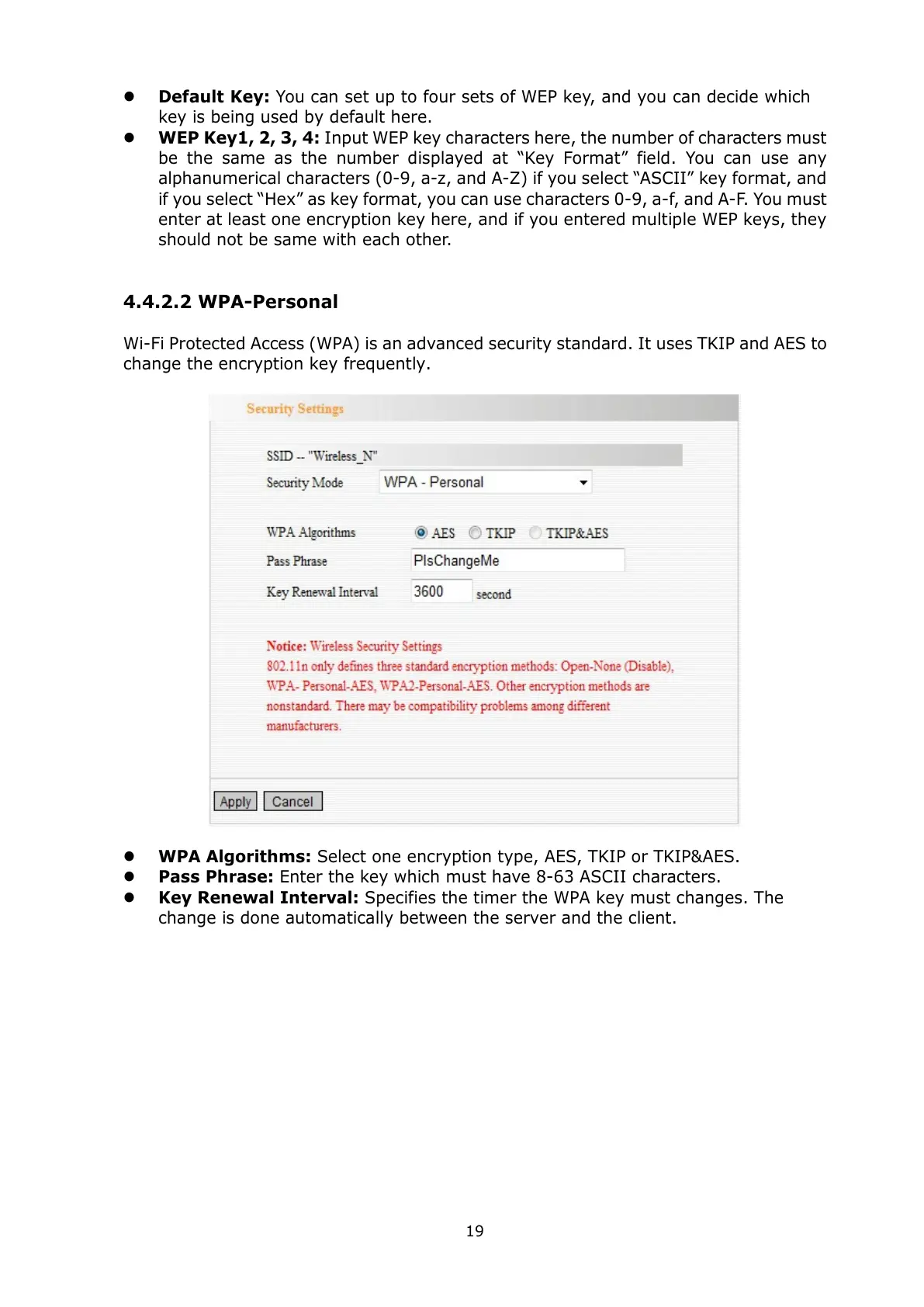
4.4.2.2 WPA-Personal
Wi-Fi Protected Access (WPA) is an advanced security standard. It uses TKIP and AES to
change the encryption key frequently.
WPA Algorithms: Select one encryption type, AES, TKIP or TKIP&AES.
Pass Phrase: Enter the key which must have 8-63 ASCII characters.
Key Renewal Interval: Specifies the timer the WPA key must changes. The
change is done automatically between the server and the client.



 To Next Page