58
7.6 Security Settings
7.6.1 Client Filter
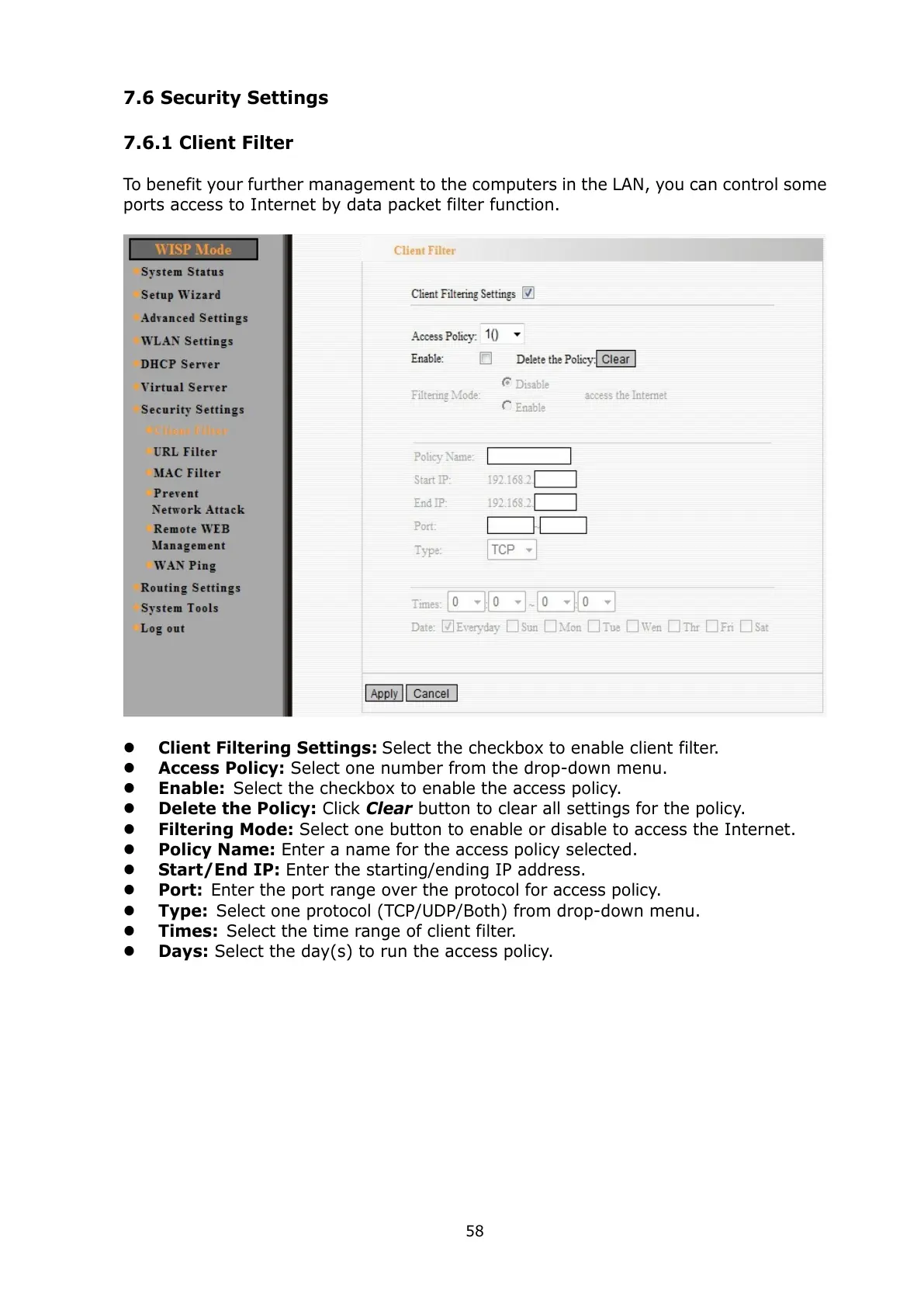
To benefit your further management to the computers in the LAN, you can control some
ports access to Internet by data packet filter function.
Client Filtering Settings: Select the checkbox to enable client filter.
Access Policy: Select one number from the drop-down menu.
Enable: Select the checkbox to enable the access policy.
Delete the Policy: Click Clear button to clear all settings for the policy.
Filtering Mode: Select one button to enable or disable to access the Internet.
Policy Name: Enter a name for the access policy selected.
Start/End IP: Enter the starting/ending IP address.
Port: Enter the port range over the protocol for access policy.
Type: Select one protocol (TCP/UDP/Both) from drop-down menu.
Times: Select the time range of client filter.
Days: Select the day(s) to run the access policy.



 To Next Page