55
7.4 DHCP Server
7.4.1 DHCP Server
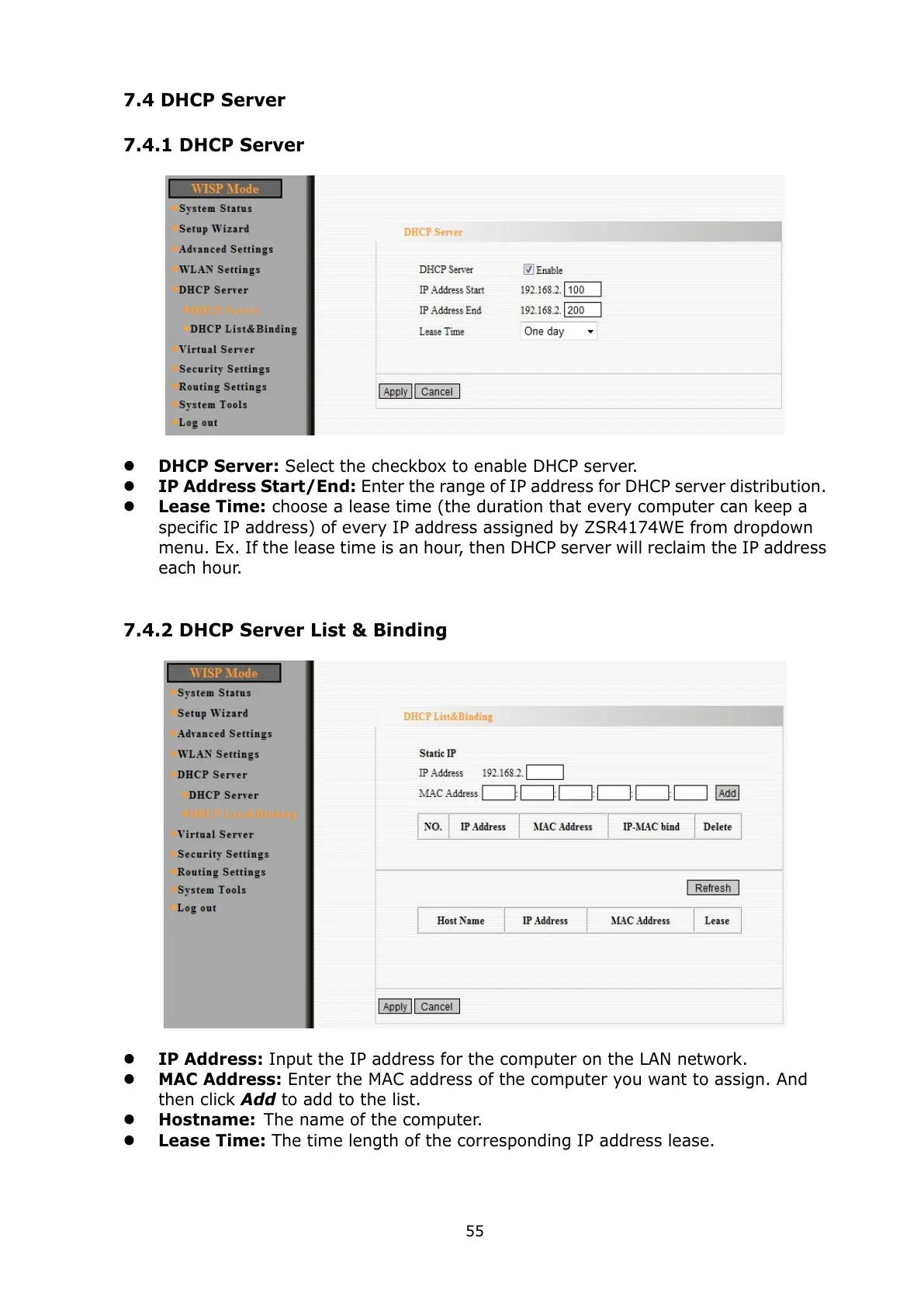
DHCP Server: Select the checkbox to enable DHCP server.
IP Address Start/End: Enter the range of IP address for DHCP server distribution.
Lease Time: choose a lease time (the duration that every computer can keep a
specific IP address) of every IP address assigned by ZSR4174WE from dropdown
menu. Ex. If the lease time is an hour, then DHCP server will reclaim the IP address
each hour.
7.4.2 DHCP Server List & Binding
IP Address: Input the IP address for the computer on the LAN network.
MAC Address: Enter the MAC address of the computer you want to assign. And
then click Add to add to the list.
Hostname: The name of the computer.
Lease Time: The time length of the corresponding IP address lease.



 To Next Page