34
Chapter 6 WDS+AP Mode
6.1 Setup Wizard
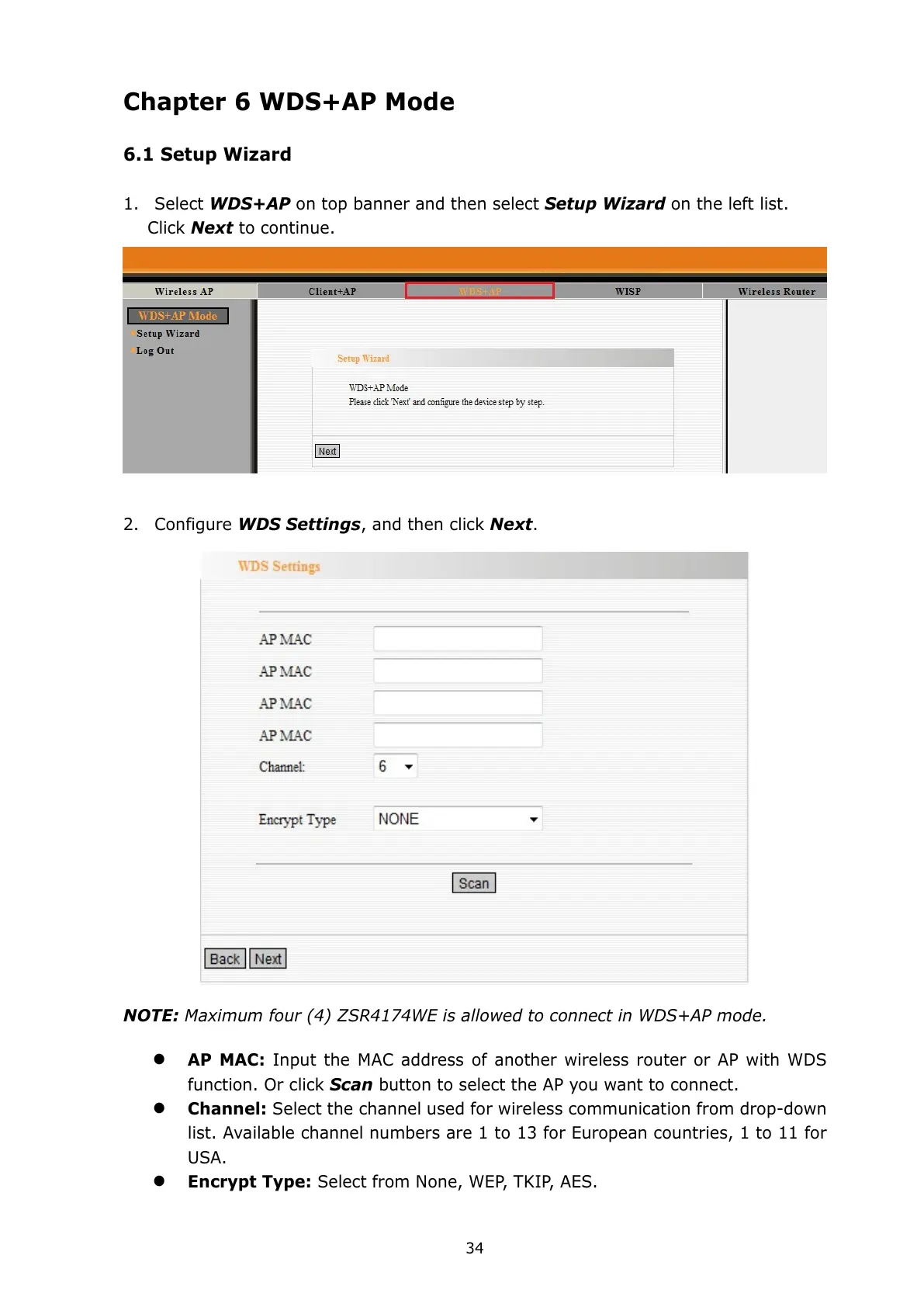
1. Select WDS+AP on top banner and then select Setup Wizard on the left list.
Click Next to continue.
2. Configure WDS Settings, and then click Next.
NOTE: Maximum four (4) ZSR4174WE is allowed to connect in WDS+AP mode.
AP MAC: Input the MAC address of another wireless router or AP with WDS
function. Or click Scan button to select the AP you want to connect.
Channel: Select the channel used for wireless communication from drop-down
list. Available channel numbers are 1 to 13 for European countries, 1 to 11 for
USA.
Encrypt Type: Select from None, WEP, TKIP, AES.



 To Next Page