48
7.2 Advanced Settings
7.2.1 LAN Settings
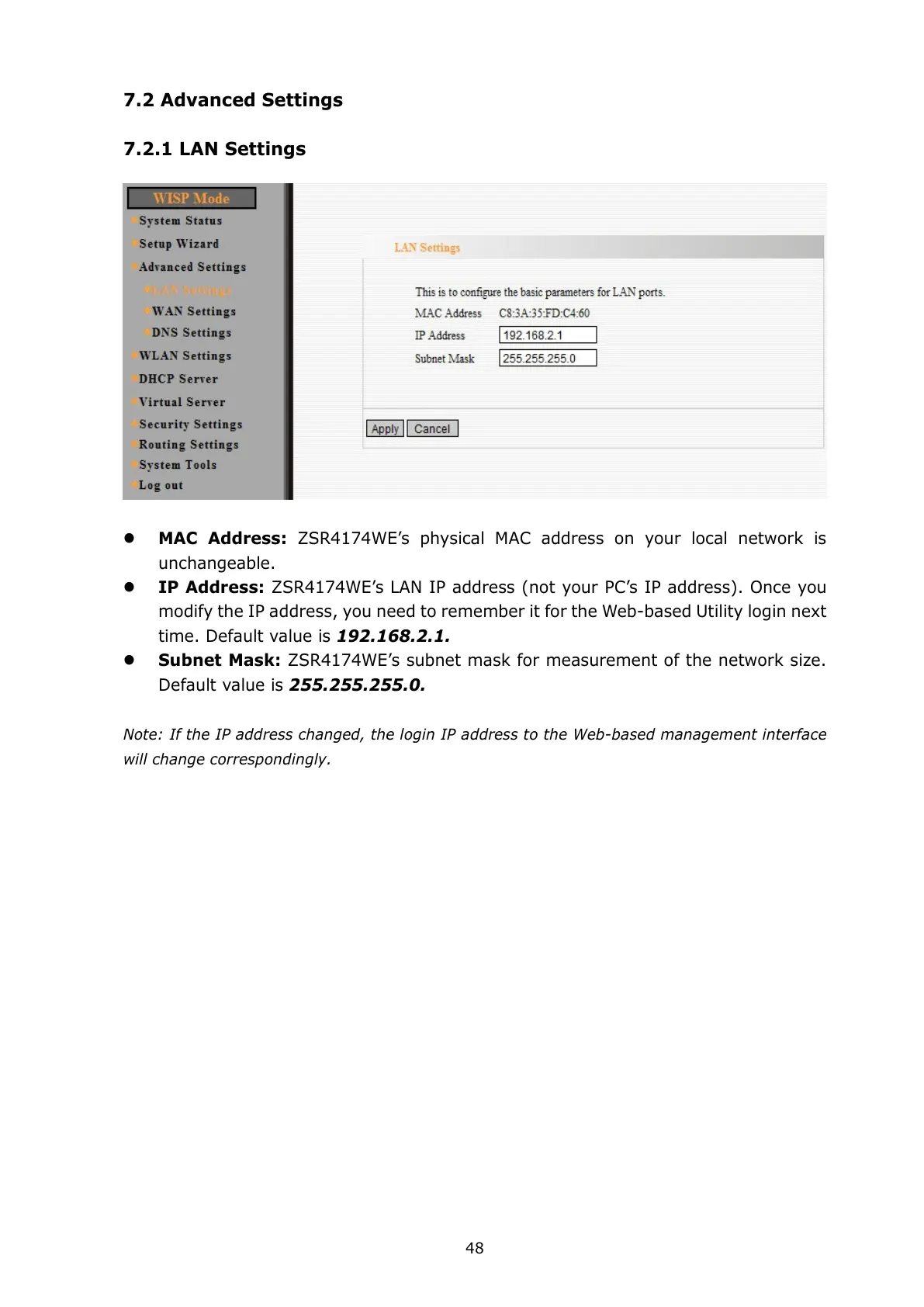
MAC Address: ZSR4174WE’s physical MAC address on your local network is
unchangeable.
IP Address: ZSR4174WE’s LAN IP address (not your PC’s IP address). Once you
modify the IP address, you need to remember it for the Web-based Utility login next
time. Default value is 192.168.2.1.
Subnet Mask: ZSR4174WE’s subnet mask for measurement of the network size.
Default value is 255.255.255.0.
Note: If the IP address changed, the login IP address to the Web-based management interface
will change correspondingly.



 To Next Page