3
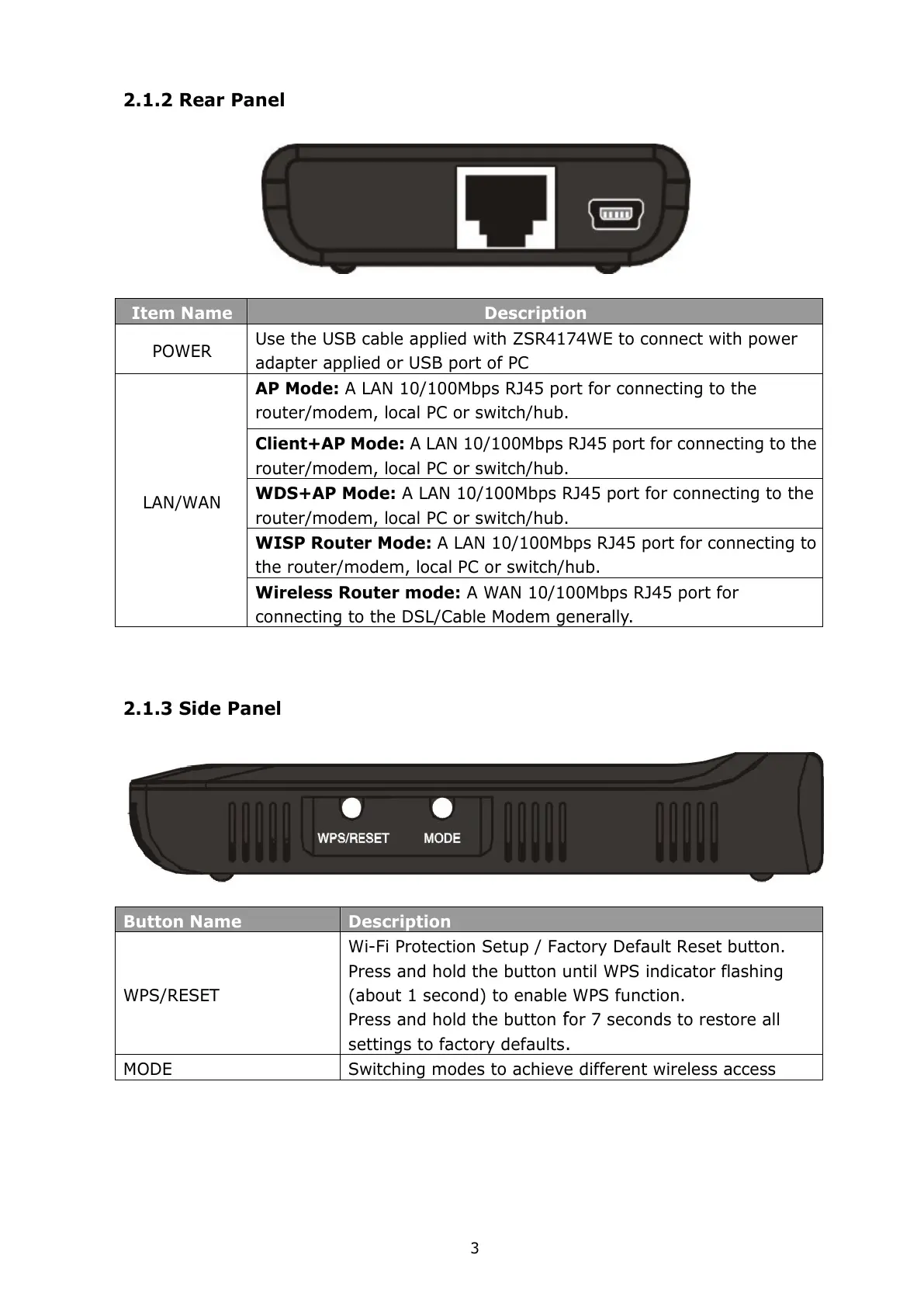
2.1.2 Rear Panel
Item Name Description
POWER
Use the USB cable applied with ZSR4174WE to connect with power
adapter applied or USB port of PC
AP Mode: A LAN 10/100Mbps RJ45 port for connecting to the
router/modem, local PC or switch/hub.
Client+AP Mode: A LAN 10/100Mbps RJ45 port for connecting to the
router/modem, local PC or switch/hub.
WDS+AP Mode: A LAN 10/100Mbps RJ45 port for connecting to the
router/modem, local PC or switch/hub.
WISP Router Mode: A LAN 10/100Mbps RJ45 port for connecting to
the router/modem, local PC or switch/hub.
LAN/WAN
Wireless Router mode: A WAN 10/100Mbps RJ45 port for
connecting to the DSL/Cable Modem generally.
2.1.3 Side Panel
Button Name Description
WPS/RESET
Wi-Fi Protection Setup / Factory Default Reset button.
Press and hold the button until WPS indicator flashing
(about 1 second) to enable WPS function.
Press and hold the button
f
or 7 seconds to restore all
settings to factory defaults
.
MODE Switching modes to achieve different wireless access



 To Next Page