60
7.6.3 MAC Filter
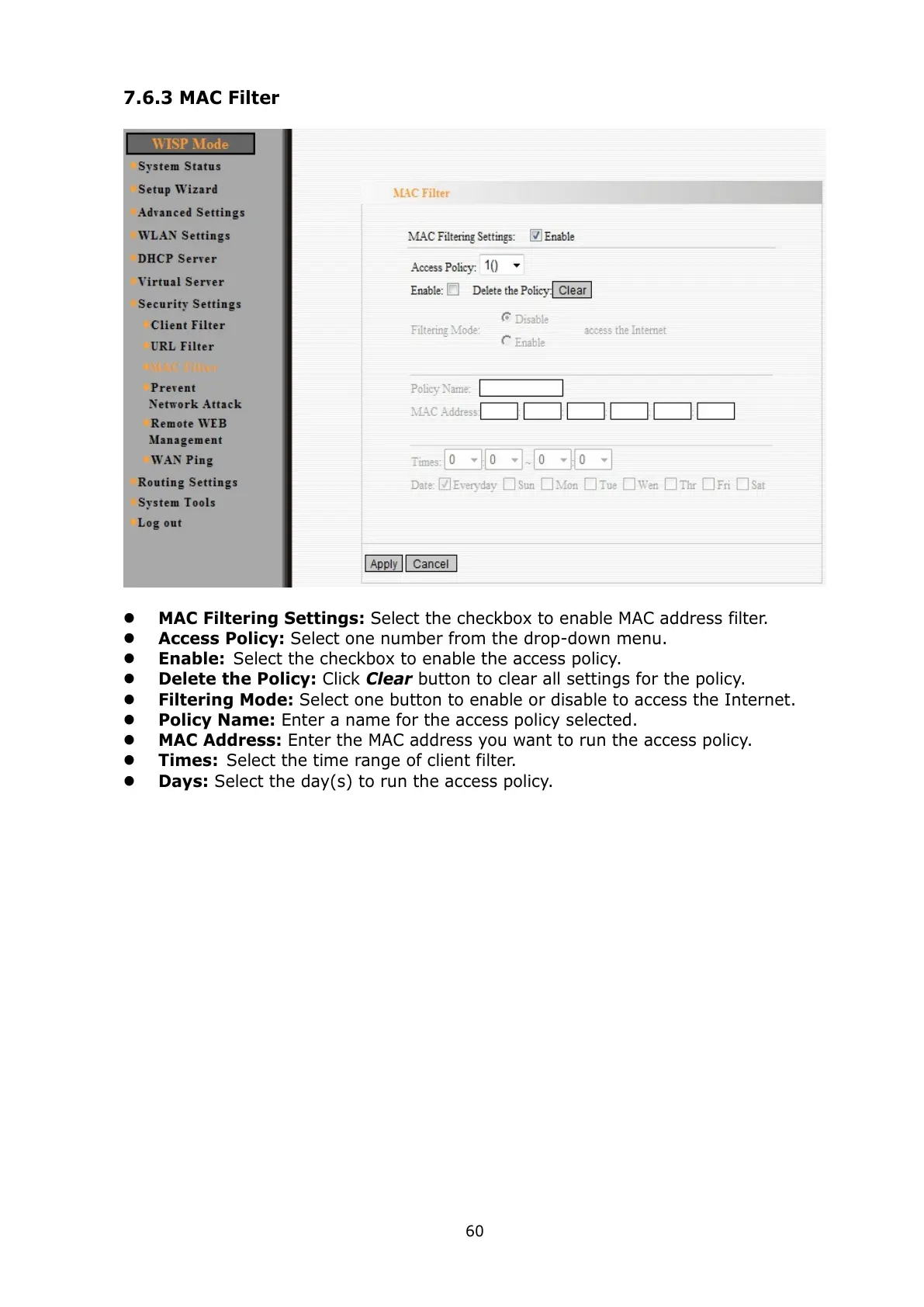
MAC Filtering Settings: Select the checkbox to enable MAC address filter.
Access Policy: Select one number from the drop-down menu.
Enable: Select the checkbox to enable the access policy.
Delete the Policy: Click Clear button to clear all settings for the policy.
Filtering Mode: Select one button to enable or disable to access the Internet.
Policy Name: Enter a name for the access policy selected.
MAC Address: Enter the MAC address you want to run the access policy.
Times: Select the time range of client filter.
Days: Select the day(s) to run the access policy.



 To Next Page