65
7.8 System Tools
7.8.1 Time Settings
For more detail, please refer to 4.5.1 Time Settings.
7.8.2 DDNS
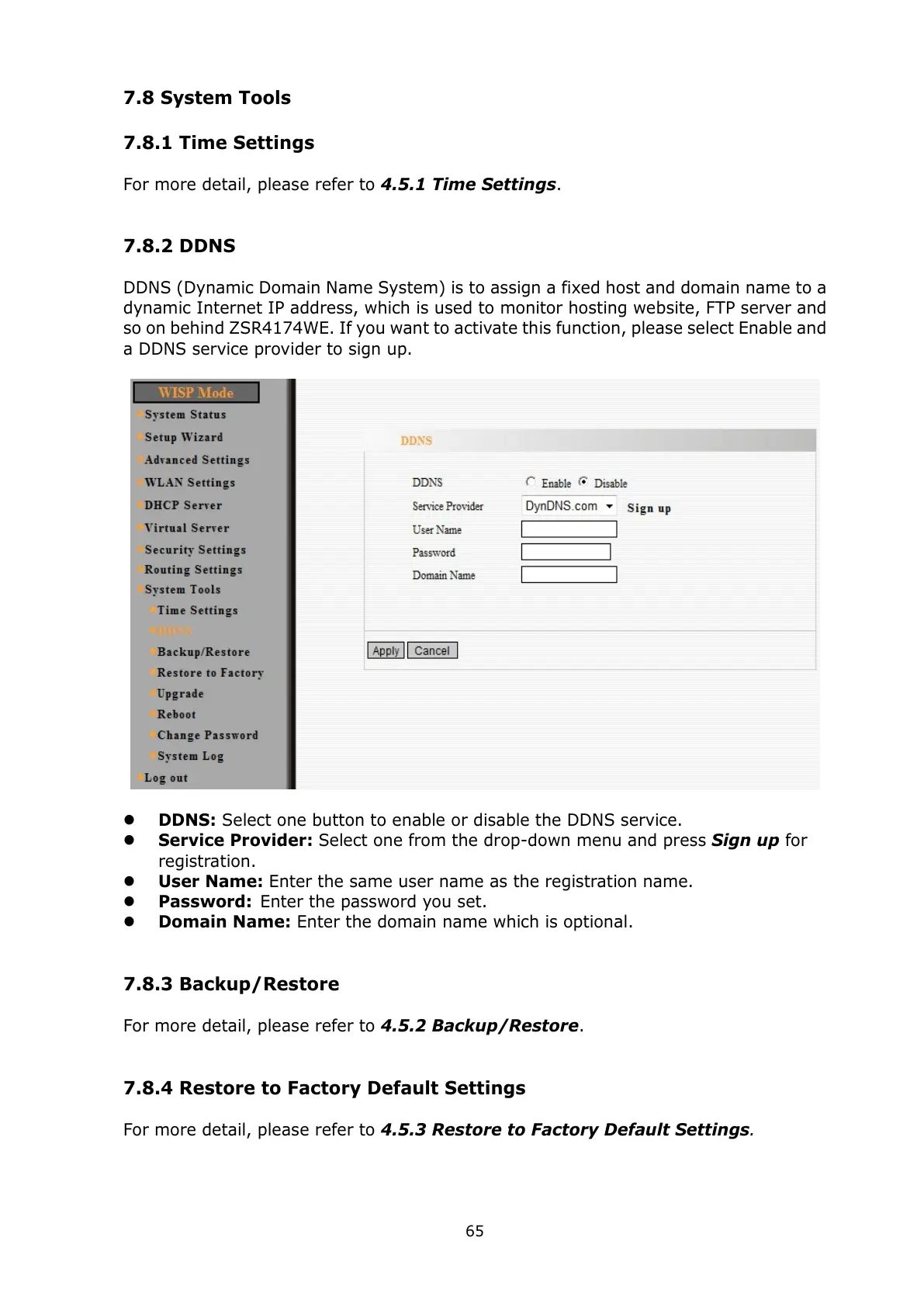
DDNS (Dynamic Domain Name System) is to assign a fixed host and domain name to a
dynamic Internet IP address, which is used to monitor hosting website, FTP server and
so on behind ZSR4174WE. If you want to activate this function, please select Enable and
a DDNS service provider to sign up.
DDNS: Select one button to enable or disable the DDNS service.
Service Provider: Select one from the drop-down menu and press Sign up for
registration.
User Name: Enter the same user name as the registration name.
Password: Enter the password you set.
Domain Name: Enter the domain name which is optional.
7.8.3 Backup/Restore
For more detail, please refer to 4.5.2 Backup/Restore.
7.8.4 Restore to Factory Default Settings
For more detail, please refer to 4.5.3 Restore to Factory Default Settings.



 To Next Page