67
Chapter 8 Wireless Router Mode
8.1 Setup Wizard
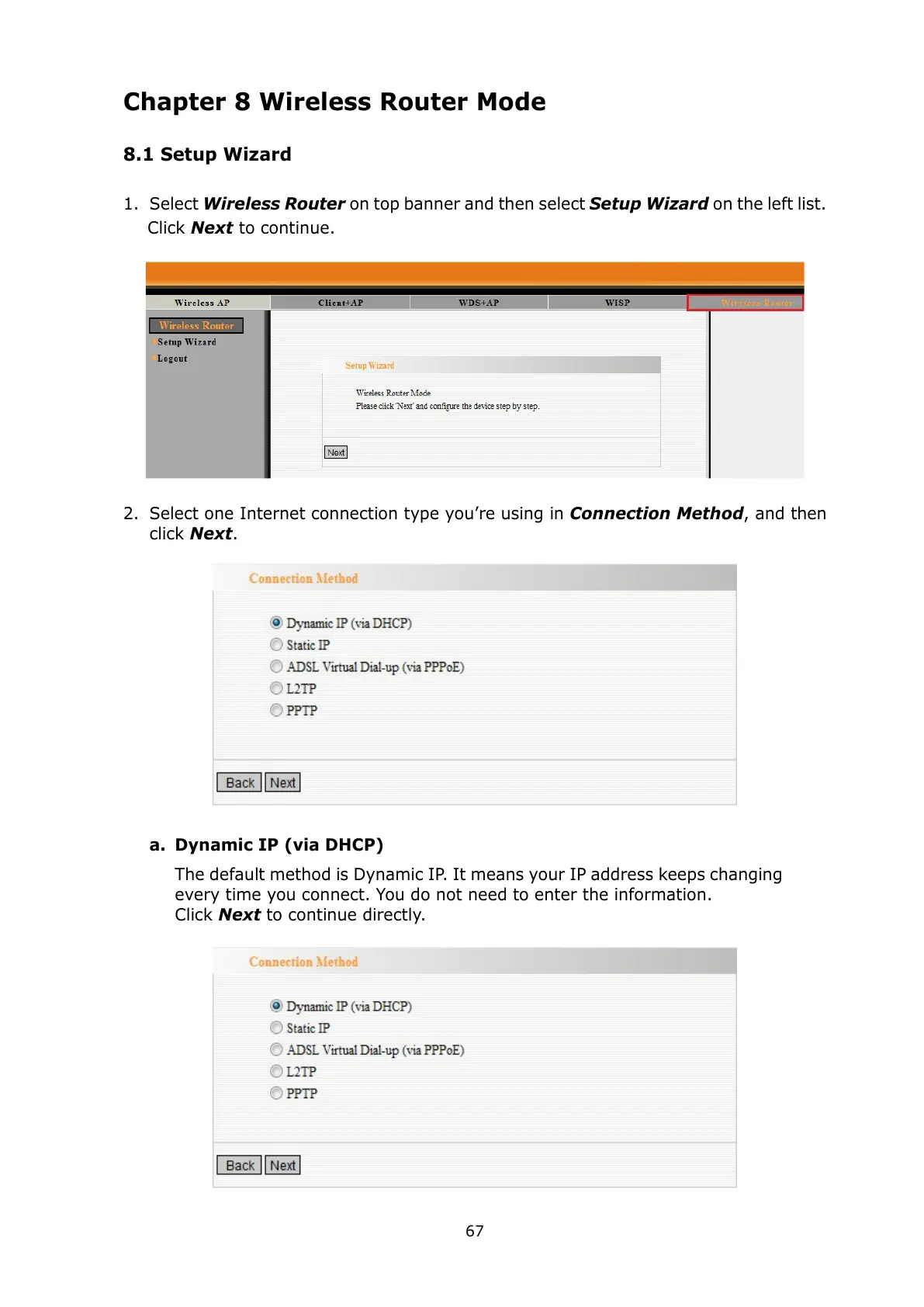
1. Select Wireless Router on top banner and then select Setup Wizard on the left list.
Click Next to continue.
2. Select one Internet connection type you’re using in Connection Method, and then
click Next.
a. Dynamic IP (via DHCP)
The default method is Dynamic IP. It means your IP address keeps changing
every time you connect. You do not need to enter the information.
Click Next to continue directly.



 To Next Page