23
■
Advanced Operation
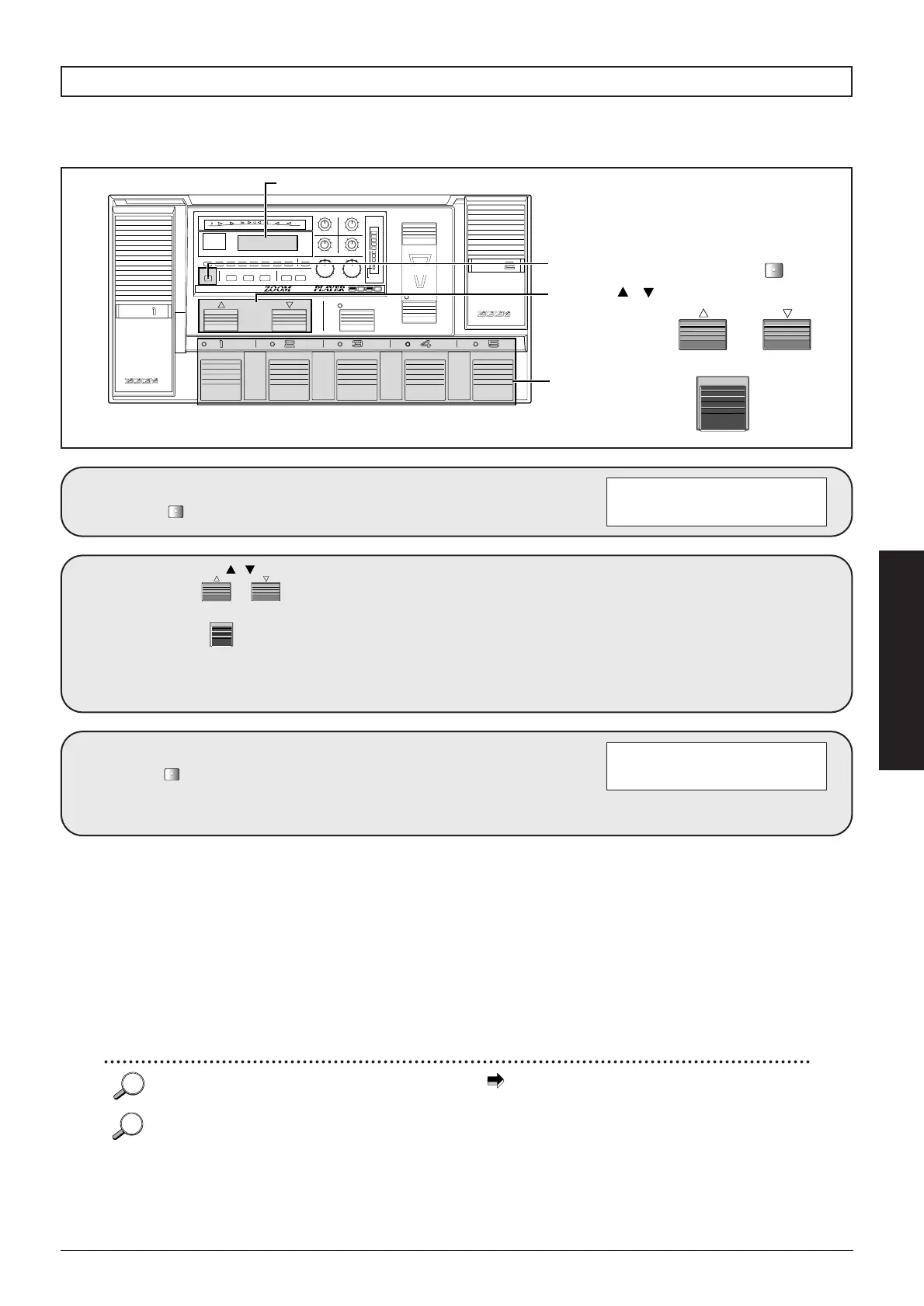
Press the
.
1
Use the
and the to
select the store
destination.
If no selection is made, the current
bank and patch number will be
used.
2
Press the
once
more.
The display briefly changes as
shown below and the store process
is carried out. The 8080 then reverts
to Play mode.
3
01 8080LEAD
é Completed
01 8080LEAD
é STORE? U0-1
If an edited patch is not stored in the USER group, all changes will be lost when you select a different patch. If
you like the changes you have made, do not forget to store the patch.
Storing an edited patch
CONTROL
PEDAL
CONTROL
PEDAL
CONTROL
SWITCH
DECREASE
–(TAP/HOLD)
INCREASE
USER
FUNCTION
BANK
MAX
CONTROL
SWITCH
INDICATOR
1/2
MIN
BLINK
(DLY:TAP)
COMP EFF1 DIST EQ EFF2 EFF3 DLY REV TOTAL
EDIT
EXIT
UTILITY
PAGE
TYPE
–+
PRESENCE OUTPUT
34
12
MAXMIN
MAXMINMAXMIN
MAXMIN
GROUP
COMPARE
FINE TUNE
Super
ADVANCED GUITAR EFFECTS PROCESSOR
STORE
(EXECUTE)
2
1, 3
Display
BANK
BANK / switches
STORE/EXECUTE key
STORE
(EXECUTE)
2
Foot switches 1-5
Before storing the patch, you can also change the patch name ( p. 64).
By pressing the EDIT/EXIT key before pressing the STORE/EXECUTE key the second time, you can cancel the process
without storing. The unit reverts to the Play mode.
If the STORE/EXECUTE key is pressed after editing a patch from one of the PRESET groups, "USER group, bank 0, patch
number 1" will automatically be selected as store destination.
When a patch is stored, any patch that is already present in the selected location will be erased (overwritten).



 To Next Page