Using CONTROL pedals 1 and 2 to continuously adjust parameters such as volume or wah can be very effective
during a performance. To do this, the following steps are required.
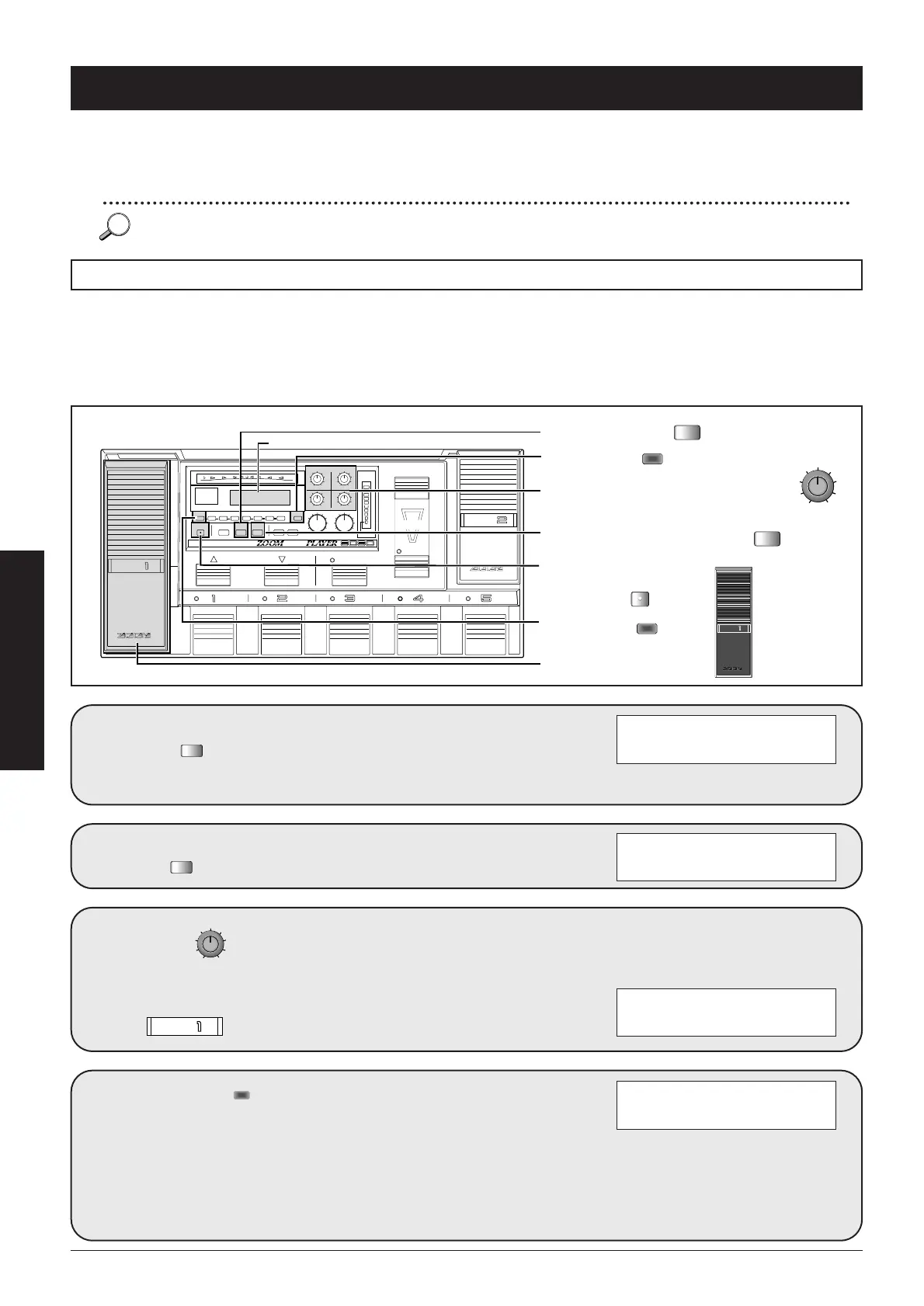
• In the TOTAL module, select the effect module to be assigned to CONTROL pedal 1 and 2.
• Within the selected effect module, select the parameter to be controlled and the change direction.
The 8080 incorporates a so-called RTM (real-time modulation) function which lets the user change effect
parameters in real time. During a performance, the CONTROL pedals 1 and 2 and the CONTROL switches can
be used to change previously determined effect module parameters.
■
24
Advanced Operation
Using the CONTROL pedals for RTM
In Play mode, press
the .
The 8080 enters the Edit mode. If
the TOTAL key is not flashing, press
the TOTAL key to select the TOTAL
parameters.
2
Use 3 to
select the effect
module to assign to
.
This page serves to assign effect
modules to the CONTROL switches
(data entry knob 2), CONTROL
pedal 1 (data entry knob 3) and
CONTROL pedal 2 (data entry knob
4).
The illustration below shows an
example for assigning the EF3 effect
module to CONTROL pedal 1.
CONTROL SET: CSW=DLY
2 CP1=VOL CP2=OFF
CONTROL SET: CSW=DLY
é 2 CP1=EF3 CP2=OFF
SERIAL/PARALLEL:
1 EF2 EF3
Using the RTM Function
In the factory default condition, CONTROL pedal 1 is set to adjust the volume of each patch and CONTROL pedal 2 can be
assigned to various parameters with the CONTROL switches. Before you make any changes, we suggest to try this out for yourself.



 To Next Page