1
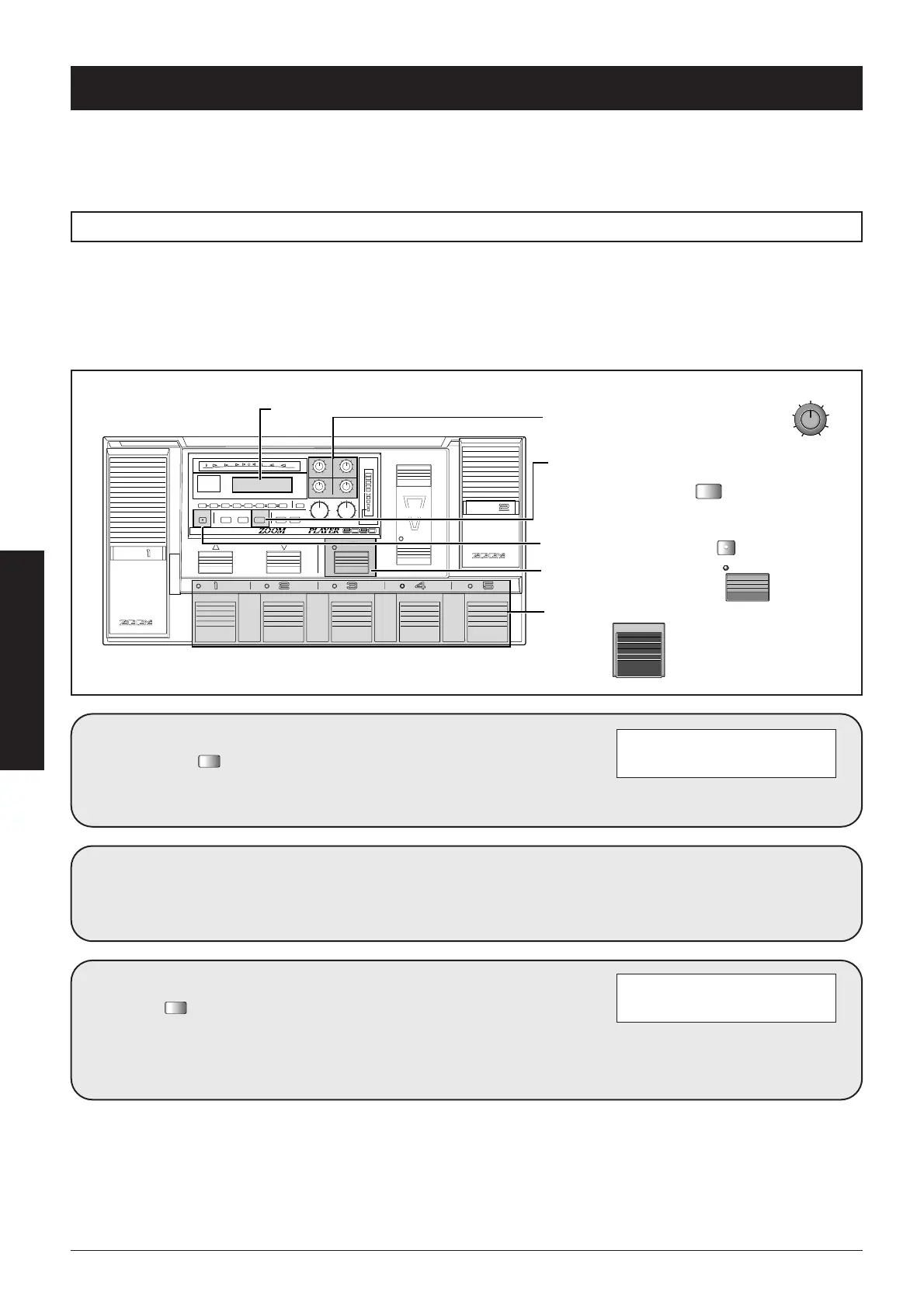
Verify that the "USER
FUNCTION=" item is
set to "MANUAL".
If not, use Data entry knob 2 to
select the setting.
2
Press the
four
times to
call up the page
shown below.
This is the page for selecting the
effect modules to be assigned to
foot switches 1-3.
USER FUNCTION=MANUAL
3
Fsw ASSIGN: SW1=EF1
7 SW2=DST SW3=EF2
The USER FUNCTION switch can be programmed by the user to perform a desired function. The following
four functions are available: switch between Play mode and Manual mode, call up a predefined bank number,
call up a predefined patch number, switch between PRESET groups A/B/C.
In the factory default condition, the switch is set to select PRESET groups.
In Manual mode, the foot switches 1-5 can be used to turn predefined effect modules on and off. To do this, the
following steps are required.
• In Utility mode, set the USER FUNCTION switch parameter to "MANUAL".
• In Utility mode, assign the desired effect modules to foot switches 1-5.
To switch between Play mode and Manual mode with the USER FUNCTION switch
Using the USER FUNCTION Switch



 To Next Page