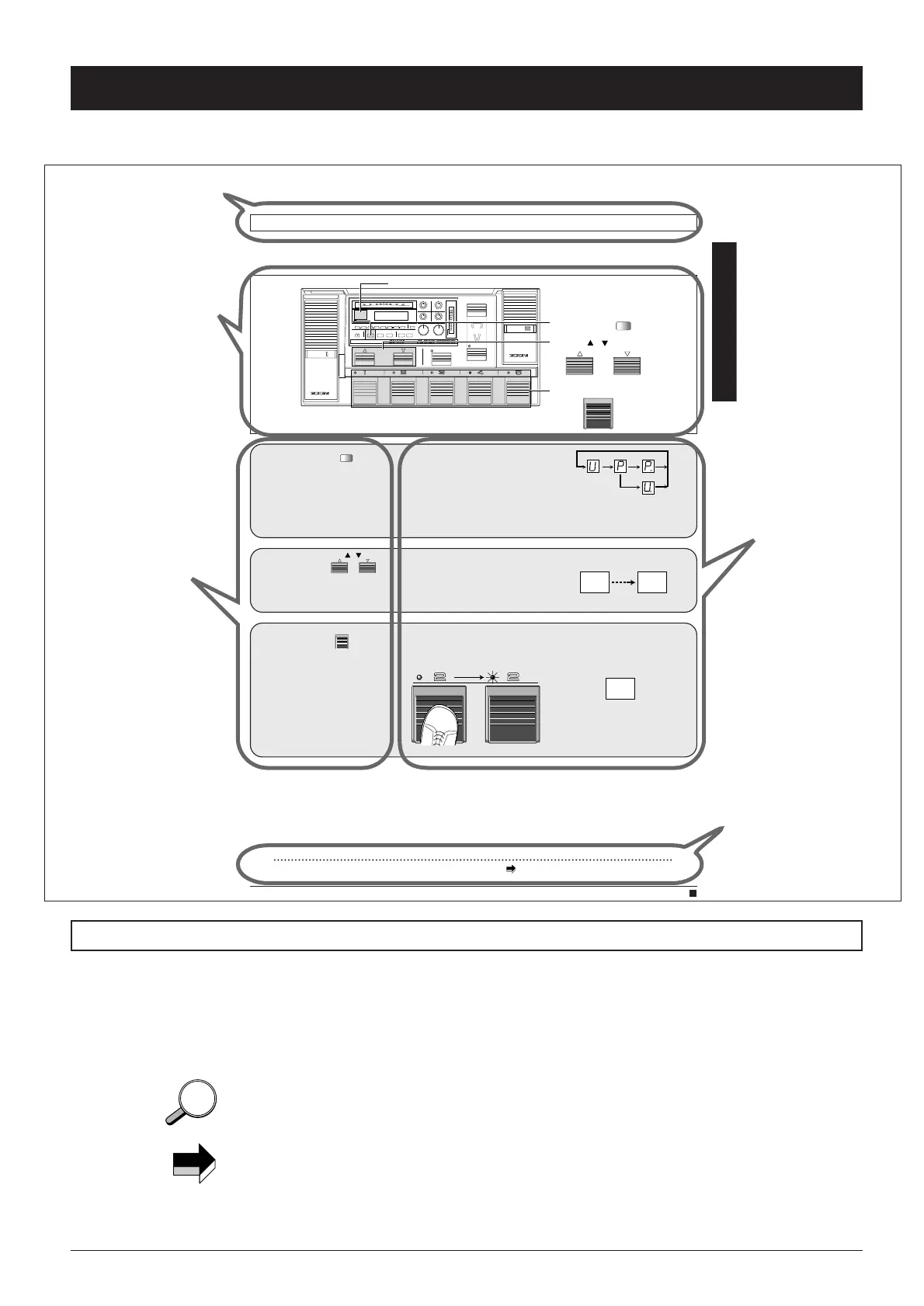
The pages explaining operation steps are organized as follows.
The following symbols are used in this manual.
[Note] Important warnings and information about points to
consider and possible problems
[Hint] Additional information regarding useful and convenient
functions and usage steps
[Refer to p. ] Indicates a page where related information can be found.
■
2
Organization of This Manual
Use the
to select a bank from
0-9.
In this condition, the patch is not yet
selected.
BANK / switches
P0 P9
Use the 1-5
to select the patch
number.
The indicator of the foot switch
lights up and the respective patch
becomes active.
Foot switches
3
11
8080 Basic Operation
In Play mode, you can select from among 100 patches (one PRESET group A-C with 50 patches and the USER
group with 50 patches).
Selecting a patch
Use the to
select the group.
U: Patches from USER group only
P: Patches from PRESET group
only
U. or P.: Patches from both groups
With each push of the key, the
setting cycles through the above
modes.
GROUP key
USER PRESET BOTH
BOTH
CONTROL
PEDAL
CONTROL
PEDAL
CONTROL
SWITCH
DECREASE
–(TAP/HOLD)
INCREASE
USER
FUNCTION
BANK
MAX
CONTROL
SWITCH
INDICATOR
1/2
MIN
BLINK
(DLY:TAP)
COMP EFF1 DIST EQ EFF2 EFF3 DLY REV TOTAL
STORE
(EXECUTE)
EDIT
EXIT
UTILITY
PAGE
TYPE
–+
PRESENCE OUTPUT
34
12
MAXMIN
MAXMINMAXMIN
MAXMIN
GROUP
COMPARE
FINE TUNE
GROUP.BANK
:USER :PRESET :BOTH
U P .
Super
ADVANCED GUITAR EFFECTS PROCESSOR
3
2
1
Beacon
Foot switches 1-5
GROUP
COMPARE
GROUP key
BANK / switches
BANK
P9
For information on how to switch between the PRESET groups A-C, see page 35.
N
✎
Operation key
or foot switch
Simple step-by-step
instructions
Detailed explanation
Function described on this page
Hints and precautions
Graphical Symbols Used in This Manual
N
✎
HINTHINT



 To Next Page