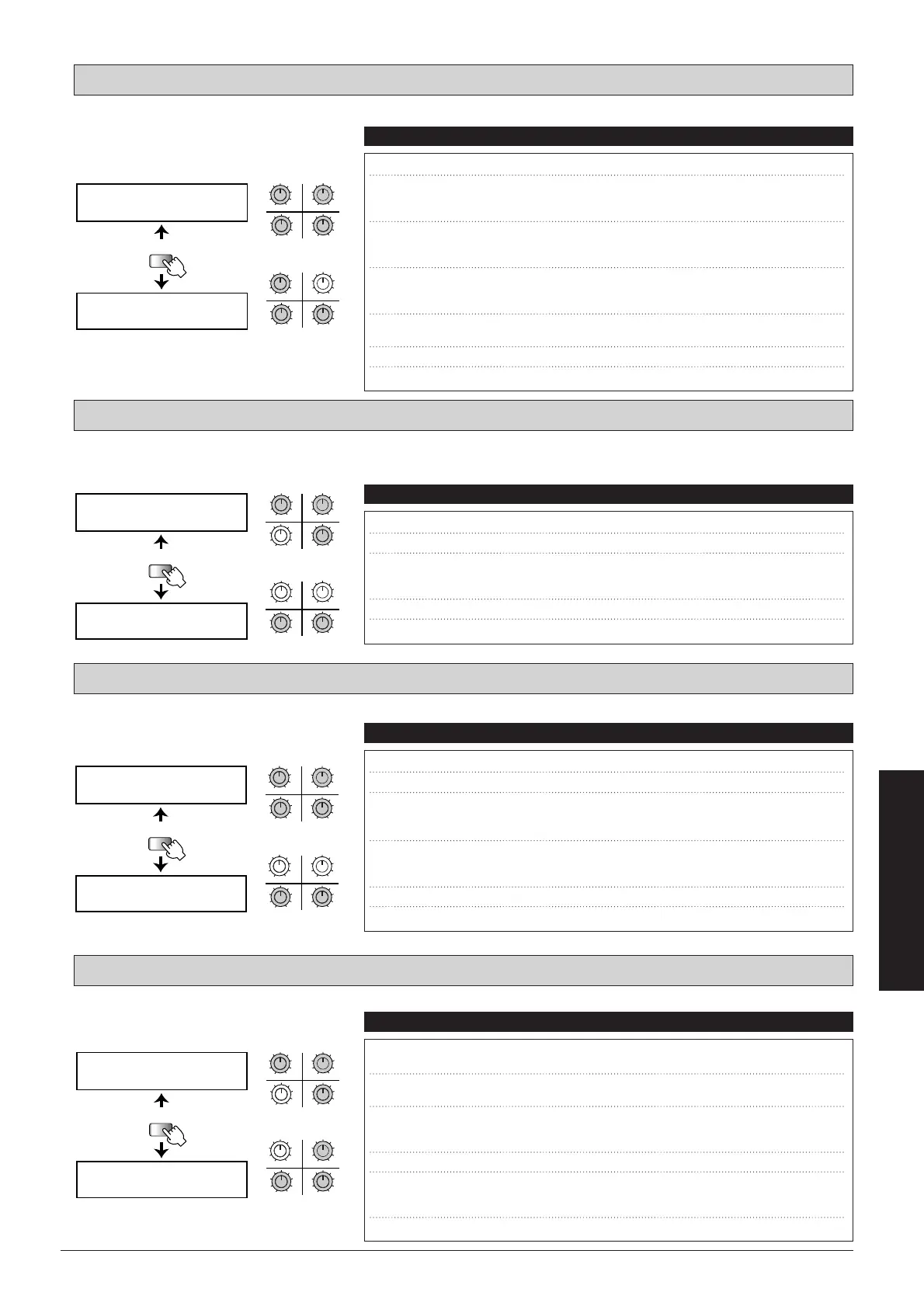
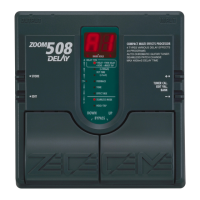
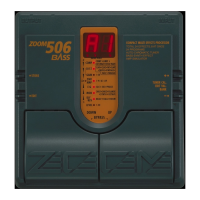
Standard auto-wah effect where wah depends on picking intensity.
Sound effect with a distinct undulation. Recreates a phaser type made popular by fusion guitarists in the seventies and
eighties.
Recreates a vintage-type vibe effect where the intensity and speed depends on the pedal action.
Adds a 1-octave or 2-octave lower component to the original sound.
OCT: Octaver
VIB: Vintage Vibe
VPHA: Vintage Phaser 1
AWA: Auto-Wah 2
49
■
Effect Types and Parameters
UTILITY
PAGE
AWA SNS= DMx=
SEL= POS=
AWA OFS=
RTMå DIR=
34
12
MAXMIN
MAXMINMAXMIN
MAXMIN
qw
er
34
12
MAXMIN
MAXMINMAXMIN
MAXMIN
yu
t
PAGE 1
PAGE 2
qw
er
yu
t
q SNS (Sensitivity) Sets the wah effect sensitivity.
1
–
50
w DRY (Dry Mix) Sets the balance between effect sound and dry
sound (original sound).
When set to 0, no original sound is output.
0
–
10
e SEL (Type Select) Sets the wah effect direction. When set to "up",
the center frequency is shifted upwards, and when
set to "dwn" downwards.
dwn, up
r POS (Insert Position) Sets the module insertion point. "BFR" means
before the DIST module and "AFT" after the
DIST module.
BFR, AFT
t OFS (Offset) Sets the center frequency where the wah effect
becomes active.
Low, Hi
y
RTM (RTM Destination)
Shows which RTM parameter is being controlled.
SNS
u
DIR (RTM Direction)
Sets the RTM direction.
NML, INV
Parameters Comment Values
UTILITY
PAGE
VPHA SPD= WAV=
POS=
VPHA
RTMå DIR=
34
12
MAXMIN
MAXMINMAXMIN
MAXMIN
qw
e
34
12
MAXMIN
MAXMINMAXMIN
MAXMIN
rt
PAGE 1
PAGE 2
qw
e
rt
q SPD (Speed) Sets the undulation speed of the phaser effect.
1
–
50
w WAV (Wave Type) Alters the undulation curve.
1
–
4
e POS (Insert Position) Sets the module insertion point. "BFR" means
before the DIST module and "AFT" after the
DIST module.
BFR, AFT
r
RTM (RTM Destination)
Shows which RTM parameter is being controlled.
SPD
t
DIR (RTM Direction)
Sets the RTM direction.
NML, INV
Parameters Comment Values
UTILITY
PAGE
VIB DPT= VOL=
SEL= POS=
VIB
RTMå DIR=
34
12
MAXMIN
MAXMINMAXMIN
MAXMIN
q
e
w
r
34
12
MAXMIN
MAXMINMAXMIN
MAXMIN
ty
PAGE 1
PAGE 2
qw
re
ty
q DPT (Depth) Sets the depth of the vibe effect.
1
–
50
w VOL (Volume) Sets the output level.
1
–
10
e SEL (Type Select) "CHO" causes original sound to be mixed to the
effect sound to achieve a chorus effect.
"VIB" is the vibe sound only.
CHO, VIB
r POS (Insert Position) Sets the module insertion point. "BFR" means
before the DIST module and "AFT" after the
DIST module.
BFR, AFT
t
RTM (RTM Destination)
Shows which RTM parameter is being controlled.
SPD
y
DIR (RTM Direction)
Sets the RTM direction.
NML, INV
Parameters Comment Values
UTILITY
PAGE
OCT -1L= -2L=
POS=
OCT DRY=
RTMå DIR=
34
12
MAXMIN
MAXMINMAXMIN
MAXMIN
qw
e
r
34
12
MAXMIN
MAXMINMAXMIN
MAXMIN
ty
PAGE 1
PAGE 2
qw
r
e
ty
q -1L (-1 Octave Level) Sets the output level of the 1-octave lower
component.
0
–
10
w -2L (-2 Octave Level) Sets the output level of the 2-octave lower
component.
0
–
10
e POS (Insert Position) Sets the module insertion point. "BFR" means
before the DIST module and "AFT" after the
DIST module.
BFR, AFT
r DRY (Dry Level) Sets the original sound output level.
0
–
10
t
RTM (RTM Destination)
Shows the parameter that is being controlled by RTM.
The control range extends from "WLv" (Wet Level)
zero to the preset value set with "-1L" and "-2L".
WLv
y
DIR (RTM Direction)
Sets the RTM direction.
NML, INV
Parameters Comment Values



 To Next Page