-21-
3. ENERGIZER (Output side) adjustment
It is the same as G7.1ut except input level and range of provided level.
3.1. Measurement system
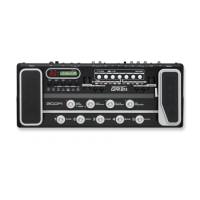
Below figure shows appearance of G9.2tt. Connect oscillator output of an audio
analyzer to “INPUT” of the G9.2tt, and connect a USB cable between personal
computer and “USB” of the G9.2tt.
Figure 4 Appearance of G9.2tt
Start up the application program of “G2.1u USB Check”. Refer to Fig 5 on next
page.
*Refer to the method of “G2.1u USB Check” which we already issued, regarding the
instruction of the application program.
“TUBE” Knob and “BOOST” Knob
From Audio Analyzer
or Oscillator To PC
“BYPASS/TUNER”
“ACC_TUBE” Knob and “SOLID STATE” Knob


 To Next Page
 Loading...









