Back Up User’s Data
If necessary, back up the user’s effect patch data to avoid an accidental erasing.
* Equipment required
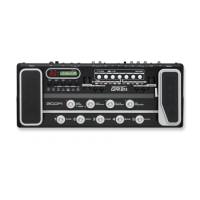
· User’s G9.2tt as a transmitter (hereinafter referred to as “the transmitter”)
· Another G9.2tt as a receiver (hereinafter referred to as “the receiver”)
· Jumper wires
1. Connect [MIDI IN] jack of the master unit to [MIDI OUT] jack of a unit for writing,
and [MIDI OUT] jack of the master unit with [MIDI IN] jack of a unit for writing,
respectively (See below).
2. Turn on the [POWER] SW while holding [AMP SELECT/SYSTEM] key and
[STORE] key, both units are powered on in Flash Sys writing mode for service. In
this mode LCD displays [System Update All: SYS Patch: STO], and rewrite starts
by receiving MIDI data.
1). Reception of FlashSys (RX) writing side
LCD displays [System Update All: SYS Patch: STO]. Receiving MIDI data in this
state, LCD displays [System Update Erasing…] and [System Update] in a row.
And writing of FlashSys starts.
LCD display doesn’t change after writing completes.
-24-


 To Next Page










