Adjusting the USB send volume
If the input sound from the H1essential is quiet, for example, the USB output level can be adjusted when
sent to a computer, smartphone or tablet.
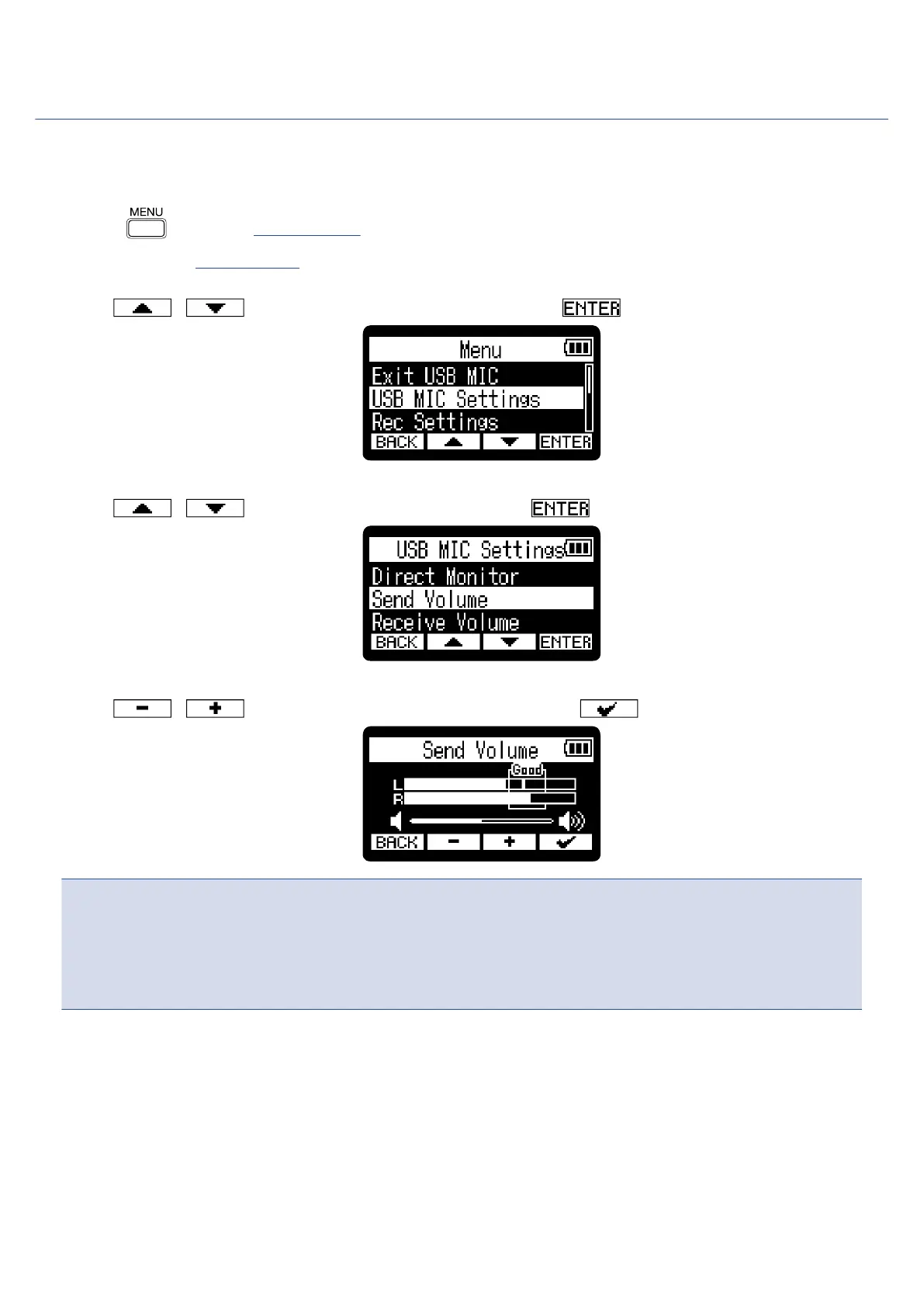
1. Press when the Home Screen is open and the USB mic function is in use.
This opens the Menu Screen.
2. Use / to select “USB MIC Settings” and press to confirm.
3. Use / to select “Send Volume” and press to confirm.
4. Use / to adjust the USB output level and press to confirm.
NOTE
• Adjust the slider so that loud sounds stay inside the “Good” frame when they are input.
• This setting does not affect the recorded audio or the audio levels output from the PHONE/LINE OUT
jack.
81



 To Next Page