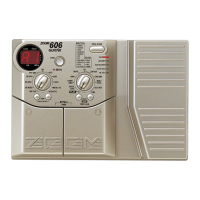
VOLUME RTM is a function for controlling the input level to the EFFECT1 or EFFECT2 module using
the FUNCTION switch. This makes it possible to easily perform fade-out or fade-in during during a
performance.
For details, please refer to the section "Using the FUNCTION switch"
on page 18.
When the FUNCTION switch mode is set to "7: VOLUME", the
FUNCTION switch always operates as volume control, regardless
of the VOLUME RTM setting in the PRE DRIVE module.
If necessary, store the patch as described on page 17.
The volume of the 3000 is gradually reduced to zero. While the
FUNCTION switch is depressed, the FUNCTION LED lights.
The volume here refers to the input level of the EFFECT1 or
EFFECT2 module, not the overall level of the 3000. If for example
long delay with feedback is used, only the original sound is
reduced, and the delay sound still is audible.
The volume gradually returns to the original value.
BANK
FUNCTION
VALUE
ADVANCED GUITAR EFFECTS PROCESSOR
1.COMP
2.BOOSTER
3.OVERDRIVE
4.TALKING BOX
Sens/Gain
(Talking Gain)
Attack/Tone
(Talking Mode)
Level
(MIC Level)
VOLUME RTM
PRE DRIVE RTM
Gain/Top
Tone/Body
Level
ZNR
POSITION
MAIN DRIVE RTM
High/Depth
Midf/Rate/Sens
MidG/Reso
Low/Stage/Inv
Level
EQ RTM
Pitch/Key
Tone/Scale/Time
Shift/Mode/Dly
Bal/Mix
Amp Sim Mode
EFFECT1 RTM
Pitch/Key/Depth
Fine/Scale/Rate
Shift/Mode
Bal/Mix/Peak
SERI/PARA
EFFECT2 RTM
Time(x100mS)
Time(x1mS)
Feedback
Mix
SEAMLESS
DELAY RTM
Time
Tone/FB
Mix
Patch Level
FUNCTION Mode
REVERB RTM
1.OD
3.DIST
5.GRU
7.
METAL
1.3-BAND EQ
2.PHASE
3.PEDAL-WAH
4.AUTO-WAH
1.PITCH
3.DETUNE
4.PEDAL-PITCH
5.STRING
2.HPS 1.HALL1
3.ROOM 1
4.ROOM 2
5.PP-DELAY
2.HALL21.PITCH
3.CHO
5.TREM/PAN
6.RING MOD
1.NORMAL
2.ANALOG
3.HOLD
2.HPS
4.FLG
2.B-OD
4.FUZZ
6.LEAD
8.ACO
PRE DRIVE MAIN DRIVE EQ EFFECT 1 EFFECT 2 DELAY REVERB
TALKING BOX
POSITION SERI/PARA SEAMLESS
FUNCTION MODE BANK
(
VALUE
)
EDIT
(
CANCEL
)
GROUP STORE
1.MANUAL
2.BANK DOWN
3.DELAY(
TAP&HOLD)
4.BYPASS
5.MUTE
6.RTM
7.VOLUME
PRESETUSER
(BOTH) SEAMLESS
U
P
U O
2
3, 4



 To Next Page
 Loading...