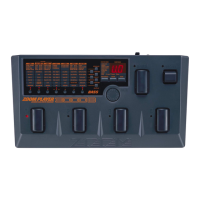
Internal settings for the 3000 can be stored in memory and retrieved from memory in units called
"patches".
A patch is a combination of up to seven effect modules. The patch comprises the parameter settings for
the effect modules, as well as information about ZNR settings, signal routing, etc. The section enclosed
by a dotted line in the above illustration is a patch.
The storage for patches in the 3000 accommodates two types of groups, the USER group that can be
freely created, altered and stored by the user, and the read-only PRESET group that is factory-defined.
Each group supports 40 types of patches, for a storage total of 80. When using the 3000, you can call up
these patches instantly by pressing the foot switch on the panel.
Also, the parameters comprising the patches can be adjusted, and stored in the USER group. In the 3000,
patches are invoked in sets of four, and patches can be changed by using the Foot Switches. These sets of
four patches are called "banks". The USER group and the PRESET group each have banks numbered
from 0 through 9. To select a patch, first switch to the appropriate bank number and then select the
desired patch.
Besides the parameters for individual effect modules, the 3000 also has global parameters which work on
all patches.
When a global parameter is adjusted, its effect will remain even when the patch is switched. However, if
the unit is turned off without storing a patch, the global parameter setting will revert to the previous
value. When wishing to keep the new global parameter setting, choose any patch from the USER group
and store it, as described on page 17.
The workings of the 3000 can be divided into major function categories according to their purpose. These
functions are called "modes". The 3000 has the following four modes:
• Play mode For performance In this mode, you perform by selecting a patch and using an effect.
You can turn the effect sound off temporarily, and use the tuning function in this
mode.
• Manual mode In this mode, effect modules can be switched on and off individually, using the
BANK switch and Foot Switches 1 - 4 on the top panel. This is suitable for use
during a performance.
• Edit mode In this mode, the effect parameters of the currently selected patch can be edited
(changed) by the user. Global parameters are also set in this mode.
• Special mode This mode serves for initializing the 3000. USER group settings and patches can be
selectively returned to the factory default.
5 ●



 To Next Page