Windows 95/98/ME
4 - 12 Network T8 Control Unit – Version 2.0 02060320.fm 11.12.07/Ch,Kx
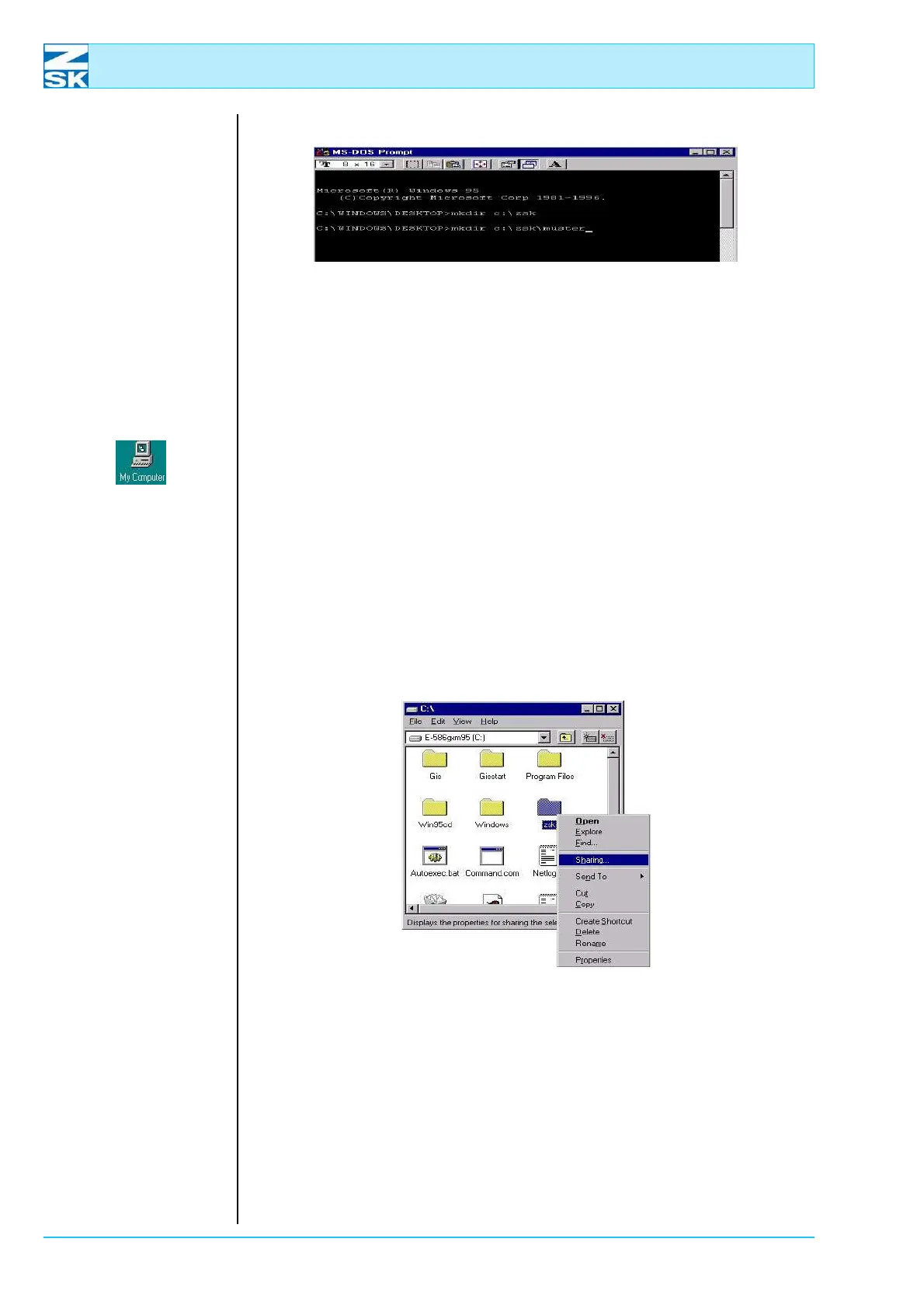
Figure 4.20:
Windows 95/98/ME,
MS-DOS prompt
D A directory named ZSK and a subdirectory named MUSTER are thus
created on hard disk C.
• Close the MS-DOS Prompt by clicking the cross symbol at the top right of the
screen.
• To enable the directory for the network, double-click the My Computer symbol
on the Desktop.
• In the window that appears, click the symbol representing drive C.
D A dialog appears showing the files and directories contained on hard
disk C.
Figure 4.21:
Windows 95/98/ME,
Context menu,
sharing...
• Click the left mouse button to select the ZSKdirectory and then click the right
mouse button.
• In the displayed context menu, select Sharing....
00491503
00491501
00491500



 To Next Page