A
BOUT
T
HIS
G
UIDE
Introduction
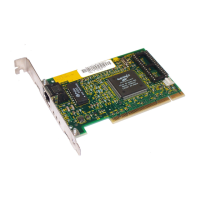
This guide describes how to install and configure the
Fast EtherLink
â
Parallel Tasking
â
PCI 10/100BASE-T adapter.
This adapter is referred to in this guide as the Fast EtherLink
PCI adapter. Also included in the guide is information about
troubleshooting and using the diagnostic tests if an adapter
malfunction occurs.
How to Use This Guide
The following table shows where to find specific information
in this guide.
If you are looking for:
Turn to:
Instructions for installing the adapter
Chapter 2
Procedures for connecting the adapter to the network Chapter 2
Instructions for loading network drivers Chapter 3
Details on troubleshooting and the diagnostic tests Chapter 4
Information about technical specifications, connector pin
assignments, and cabling requirements
Appendix A
Procedures for changing default configuration settings Appendix B
3Com technical support information Appendix C


 To Next Page