Changing the Test Setup 4-9
Changing the Test Setup
To change the test parameters, follow these steps:
1 Choose Test Setup from the Test menu in the main
window of the Configuration and Diagnostic Program, or
use the <Test Setup> command button in the Run Tests
dialog box.
2 Press [Tab] to highlight any of the fields within the Test
Setup dialog box.
3 To change a setting in any field, follow these steps:
a In the Group Select box, use the arrow keys to select a
test group.
b In the Group X Tests box, use the arrow keys to highlight a
test. Press the [Space Bar] to enable or disable an
individual test.
c In the Repetitions box, specify the number of times you
want to run the tests, or use the arrow keys to select the
Continuous option.
d In the Errors box, press the [Space Bar] to select or
deselect the Halt on Error parameter.
4 When you are satisfied with the new test setup, highlight
the <OK> command button and press [Enter].
5 To run the tests, choose Run Tests from the Test menu and
select the <Start> command button.
Miscellaneous Checks
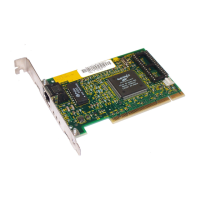
Check for specific hardware problems, such as broken traces
or loose/broken solder connections.
If you have installed the adapter correctly and you still
experience problems, check the software.


 To Next Page