A-2 APPENDIX A: SPECIFICATIONS
RJ-45 Connector Pin Assignments
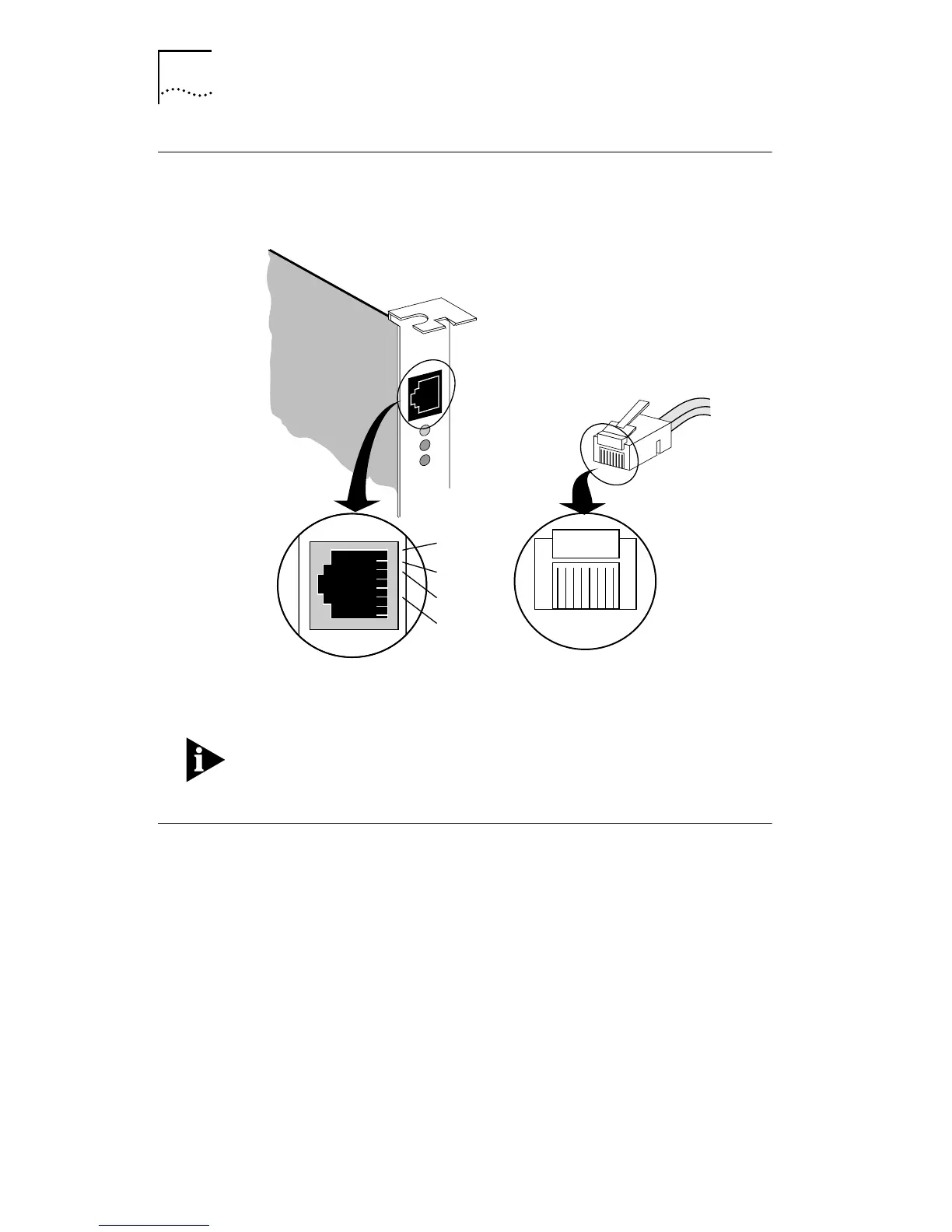
Figure A-1 shows the RJ-45 connector pin assignments.
Figure A-1 RJ-45 Connector Pin Assignments
The pin assignments are identical for 10BASE-T and
100BASE-TX, using Category 5 UTP cable.
Cabling Requirements
When properly connected to a 10BASE-T network, the
Fast EtherLink PCI adapter operates in 10BASE-T mode and
supports standard 10BASE-T cable topologies and types,
including Category 3, 4, or 5 UTP for 10 Mbps.
When properly connected to a 100BASE-TX network, the
Fast EtherLink PCI adapter operates in 100BASE-TX mode and
supports Category 5 UTP cable only.
RD+
RD–
1
2
3
4
5
12345678
TD+
TD–
6
7
8


 To Next Page