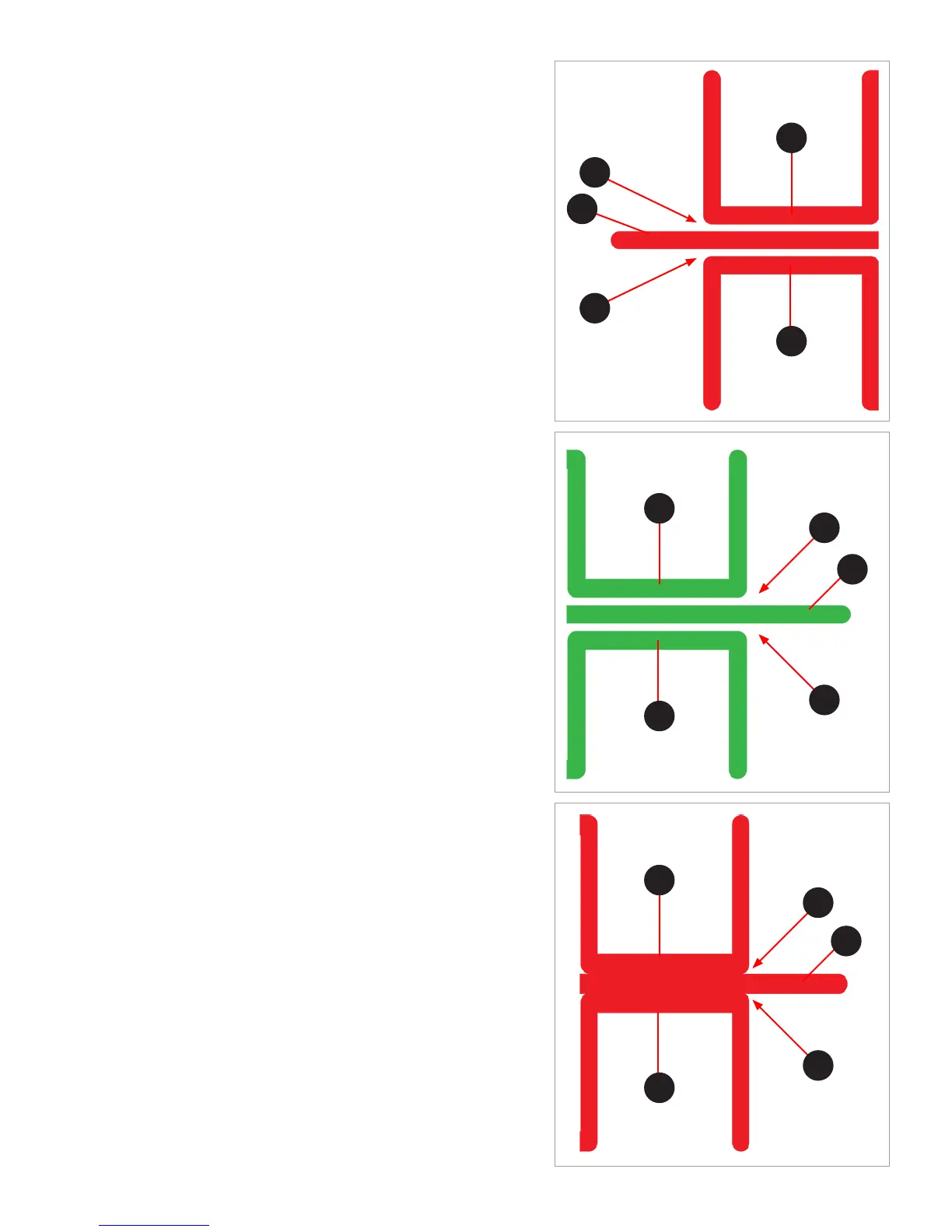
Incorrect Closed Z-Gap
If there is a gap (B) between the Closed Z-Gap bars (C) and the baseline (A),
that print jet is too high and should be adjusted. Once it has been adjusted,
print the calibration le again to verify that the print jets are level.
Correct Open Z-Gap
If there is a gap (B) between the Open Z-Gap bars (C) and the baseline (A)
and there is no gap between the Closed Z-Gap bars and the baseline, that
print jet is level.
Incorrect Open Z-Gap
If there is no gap (B) between the Open Z-Gap bars (C) and the baseline (A),
that print jet is too low and should be adjusted. Once it has been adjusted,
print the calibration le again to verify that the print jets are level.
B
B
A
B
B
C
C
A
C
C
B
B
C
C
A



 To Next Page
 Loading...








