ProJet
®
x60Pro User Manual Routine Cleaning
3dscentral.3dsystems.com 32 All Rights Reserved
5/12/13
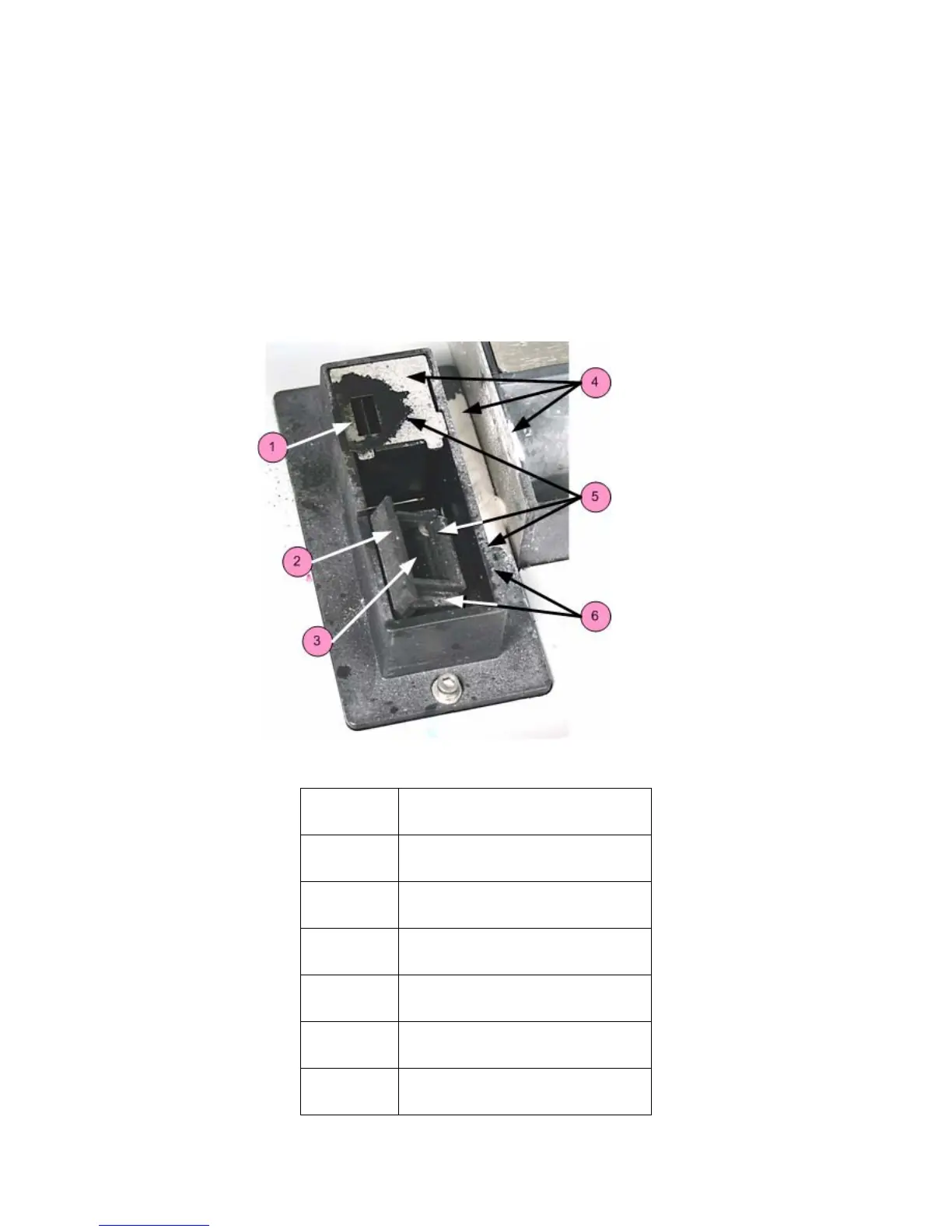
3.5 Clean The Service Station
The function of the Service Station is to clean the print heads during printing. Clean the Service Station
after every build to remove residue buildup and to ensure the printer runs optimally for your next print job.
Before you begin:
• Get several dry paper towels and a cotton swab.
• Get the squirt bottle filled with distilled water.
• Wear disposable gloves.
• Get the Pick and Small Syringe from the Accessories Kit.
3.5.1 Example - Dirty Service Station
Number Description
1Spit Plate
2 Squeegee
3 Wash Holes
4 Core Residue
5 Ink, Binder Residue
6 Core Residue










 To Next Page