Service Manual FireCR
+
Computed Radiography Scanner
FireCR
+
| Parts Removal/Replacement 19
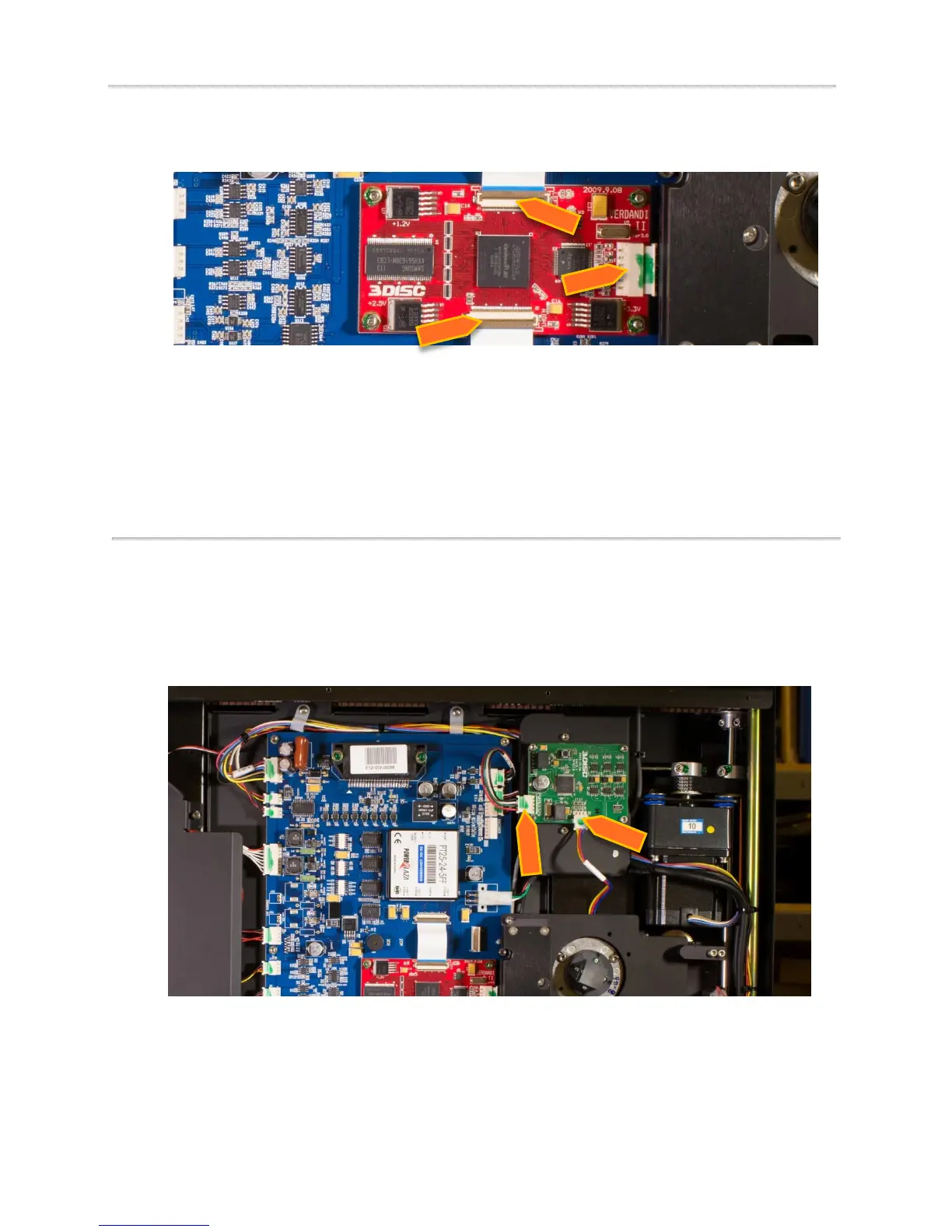
5. Disconnect the 2 ribbon cables and wire connector.
6. Replace the old core board with a new core board.
7. Reinstall the nuts to secure the core board.
8. Connect the 2 ribbon cables and wire connector.
9. Put Loctite on the nuts.
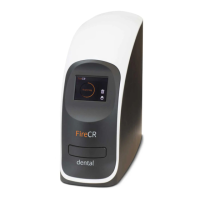
BLDC Board
1. Remove Top Cover. (Pg. 14)
2. Remove Internal Cover. (Pg. 16)
3. Unplug 2 wire connectors from BLDC Board.


 To Next Page