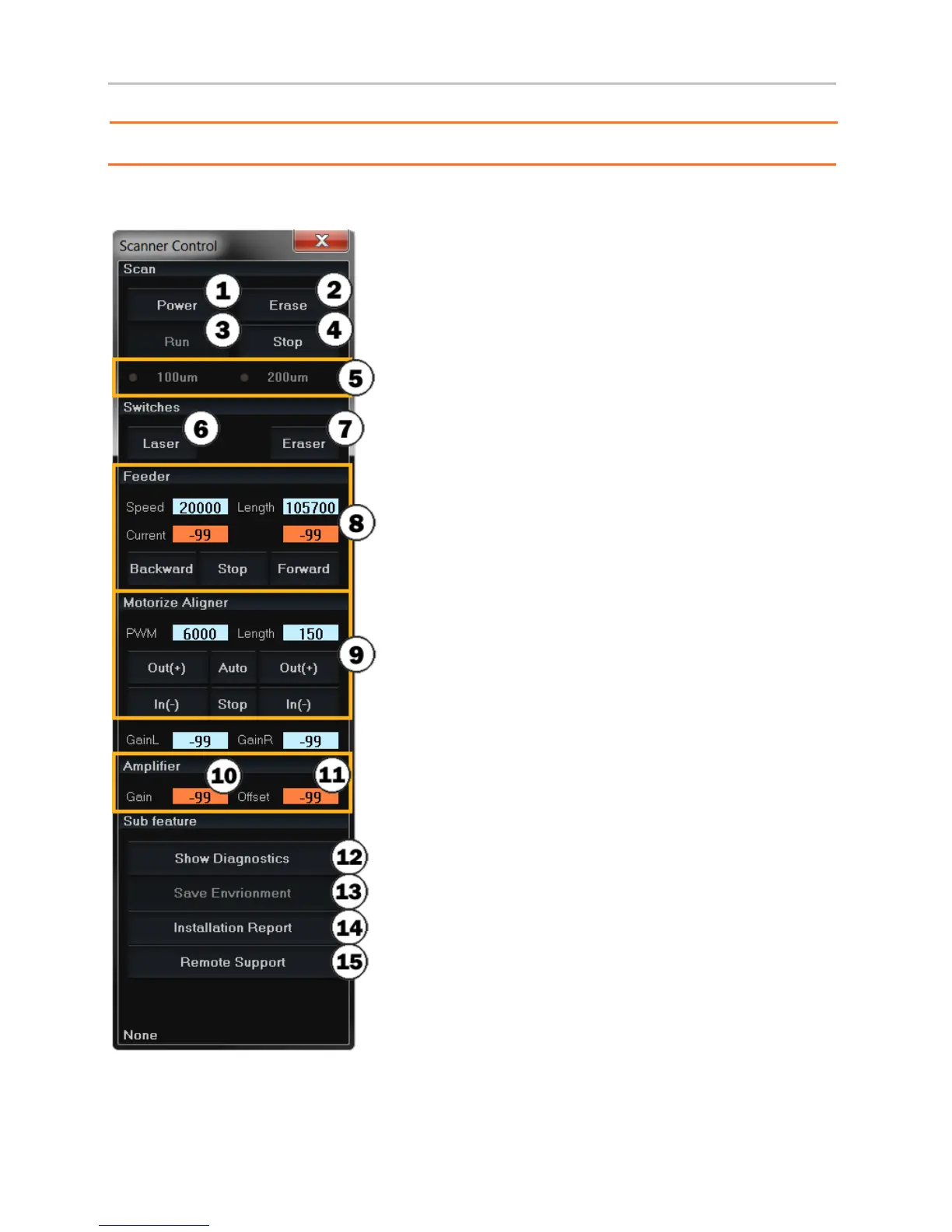
1. Software on/off
2. Run manual erasing
3. Run scan
4. Stop scan
5. Select the resolution of scan
6. Laser on/off
7. Eraser on/off
8. Stage control *(current should be “40 & “40”)
9. Beam aligner control
10. PMT(Photo Multiplier Tube) gain
11. ADC(Analog to Digital Converter) offset
12. Diagnostics window on/off
13. Save values highlighted in orange
14. Send a report to technical support
15. Connect to remote support.


 To Next Page