Service Manual FireCR
+
Computed Radiography Scanner
FireCR
+
| Parts Removal/Replacement 21
Cassette Lock Motor Board
1. Remove Top Cover. (Pg. 14)
2. Remove Internal Cover. (Pg. 16)
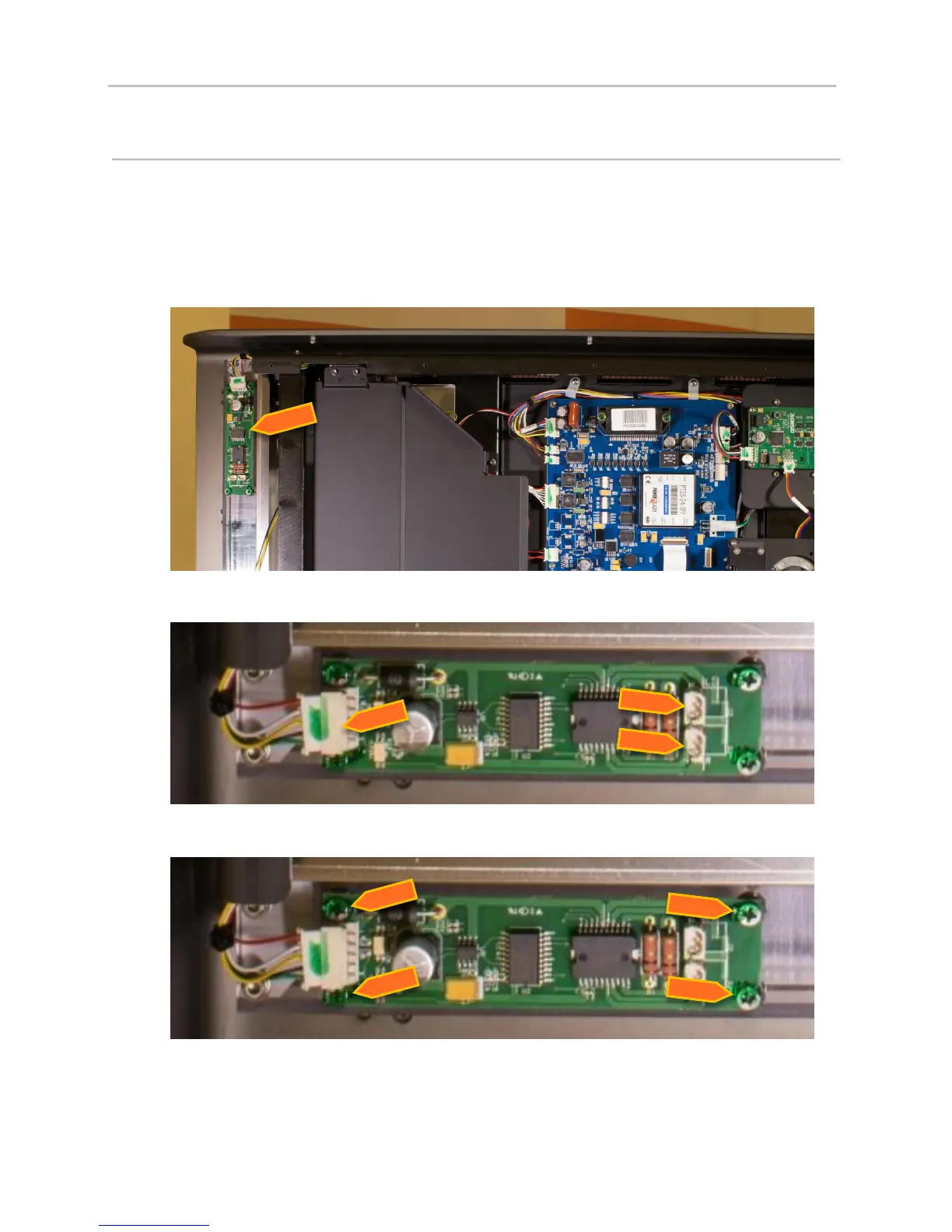
3. The Cassette Lock Motor Board is located front section of the Fire CR+.
4. Remove the three wire harnesses that connect to the board.
5. Remove four screws holding the board down and lift up. Note: use a No. 2 screwdriver bit.
6. Reinstall in reverse order.
7. Reconnect the motor harnesses to their marked locations on the board (L=Left and R=Right).


 To Next Page