Service Manual FireCR
+
Computed Radiography Scanner
FireCR
+
| Parts Removal/Replacement 33
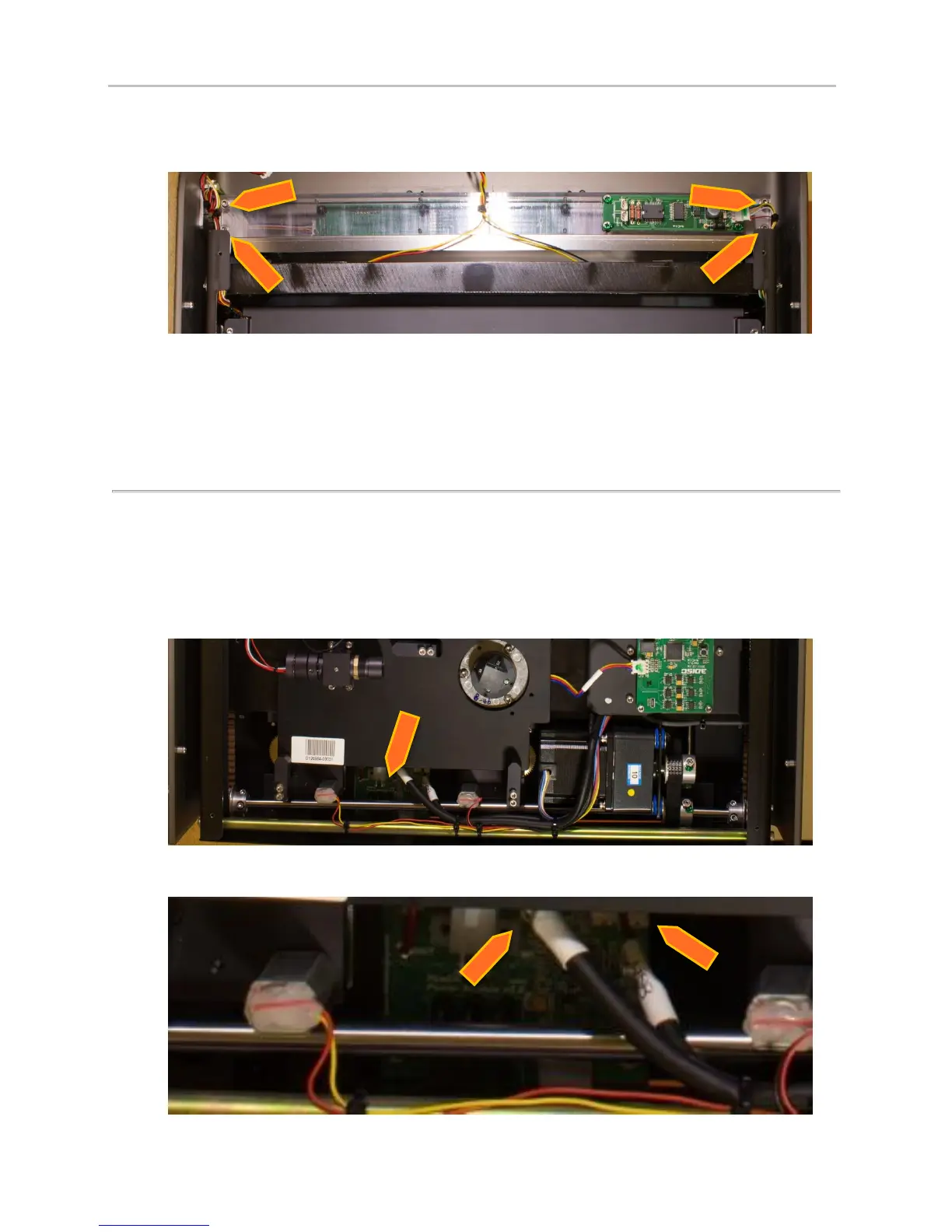
5. Remove 4 screws from plexi guides (2.5mm hex).
6. Lift the two plexi guides up and remove the bottom harness going to the RFID Board.
7. Remove the six screws holding the RFID Board to the plexi guides (#2 Phillips). Note: make sure
to not lose or drop the spacers.
8. Reinstall in opposite order.
Power Board
1. Remove Top Cover. (Pg. 14)
2. Remove Internal Cover. (Pg. 16)
3. Disconnect all the cables that are connected to the Power Board.
4. Use the tweezers to disconnect or connect all the cables which are not reachable by hand.


 To Next Page