User’s Manual
WHG Controller / HSG Gateway ENGLISH
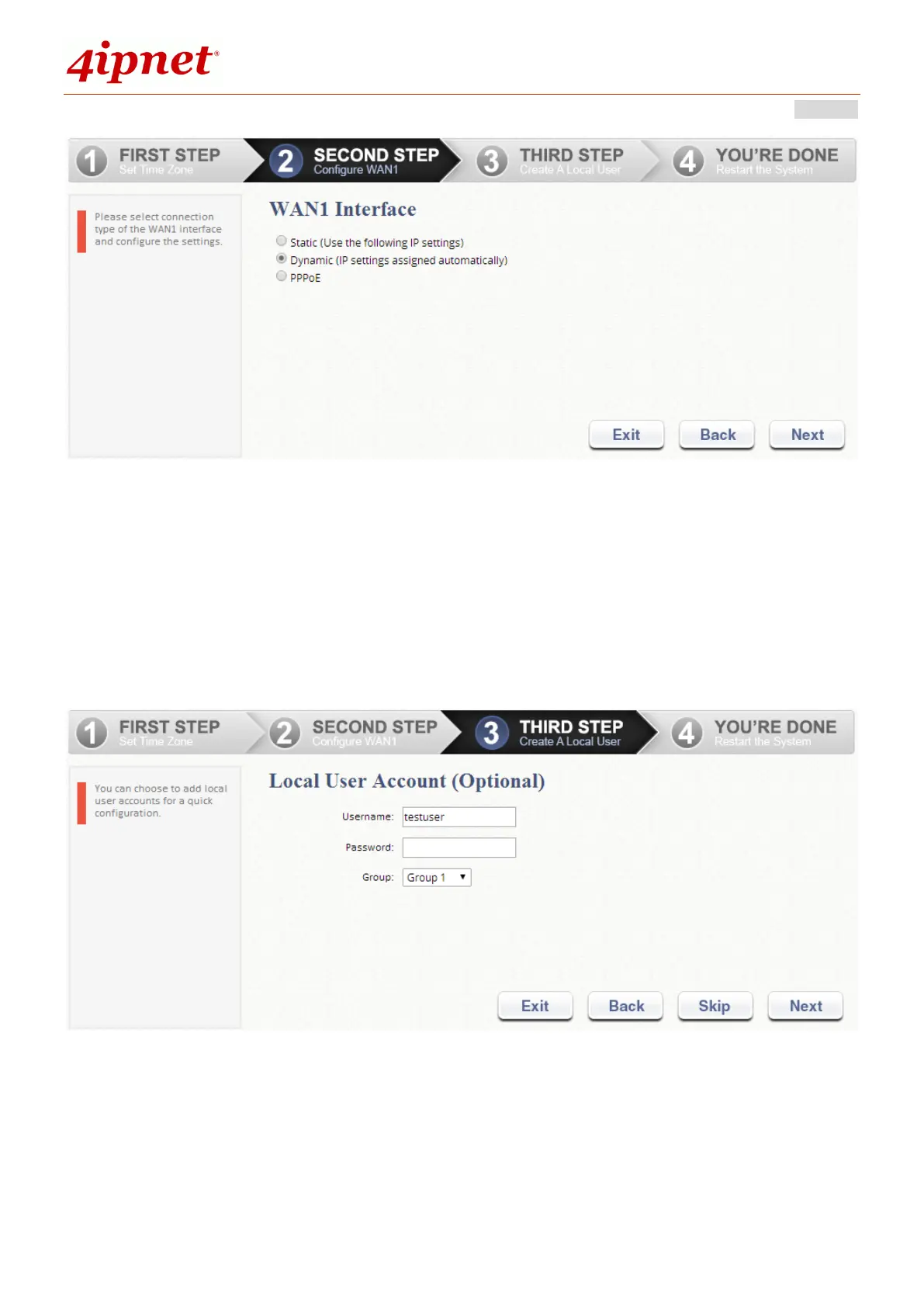
Step 3. Add Local User Account (Optional)
A new user can be added to the Local User database. To add a user here,
enter the Username (e.g. testuser), Password (e.g. testuser), and assign
an Applied Group to this particular user (or use the default Group 1).
Click Next to continue.
Step 4. Confirm and Restart WHG
Click Finish to save current settings and restart the system.
A confirmation dialog box will then appear. Click OK to continue.


 To Next Page