User’s Manual
WHG Controller / HSG Gateway ENGLISH
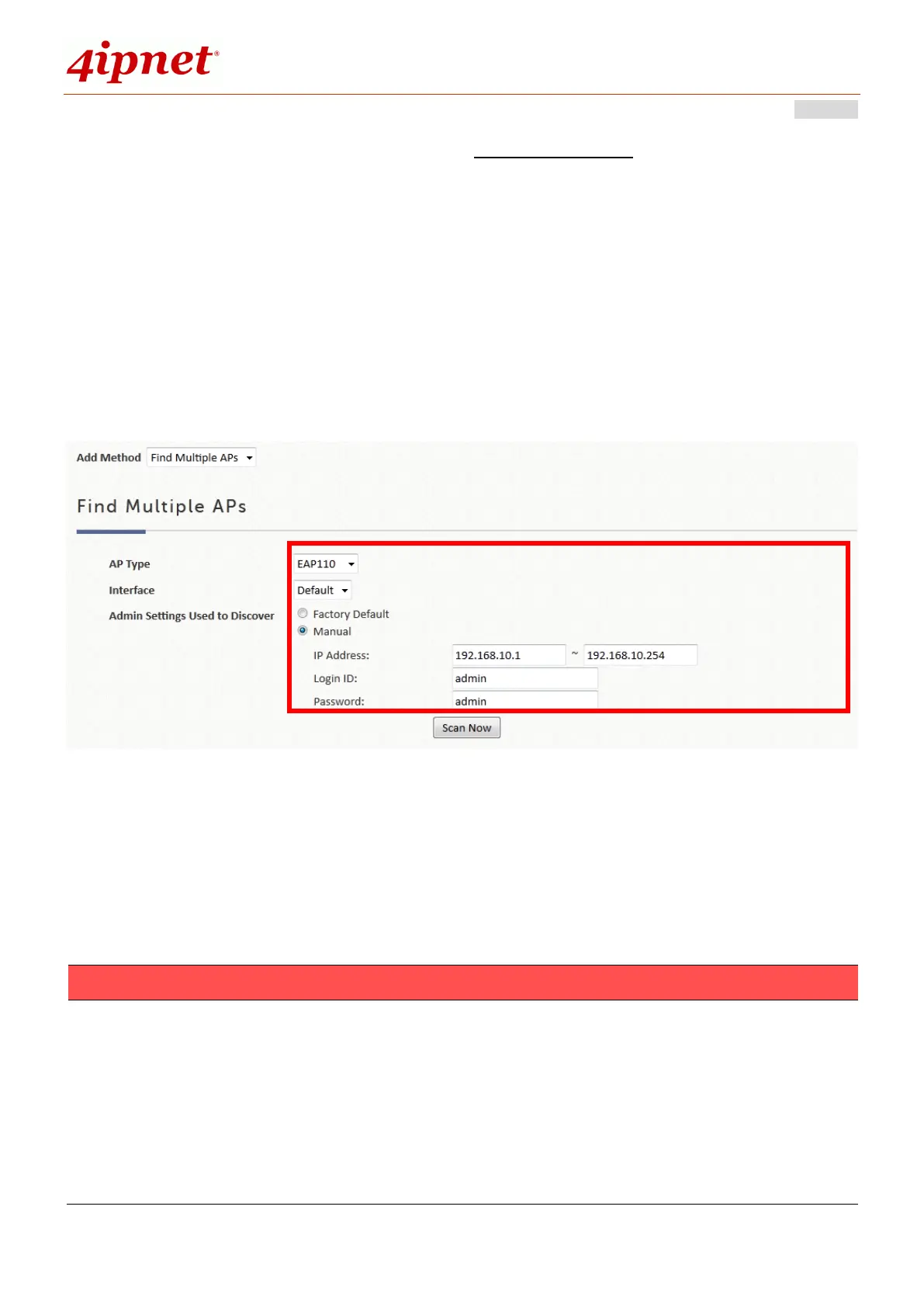
To Add APs in batches, the admin scans an IP address range and collectively
discover the AP’s of the same type, either by
1. ‘Factory Default’ scanning – used if the administrator has not changed any of the
configuration on their AP’s. And there is no need to fill in any fields. Just click
Scan Now
2. ‘Manual’ scanning- used if the IP addresses of the AP’s have been changed to
those other than 192.168.1.1. Type in the range of the IP addresses you would
like to scan through and click Scan Now.
The Discovery Results Table will then display all the AP’s found currently alive.
After finding the AP, admin can further set up the template to be applied and the
operating channel, and furthermore put the AP under a specific service zone you
have enabled.
1. It might take some time for the controller to discover AP’s. Please wait for a
moment until the AP you are scanning for is displayed on the Discovery
Results list.
2. Note that the Background above the discovery list could be enabled to scan the
wireless environment every fixed period of time based on admin’s setting. Click
Configure to set up the function.



 To Next Page