DIGITAL VIDEO RECORDER MANUAL
DIGITAL VIDEO RECODER MANUAL
14
[4] Status Bar
1. Date / Time
2. Record mode : Emergency recording - “ER”, Scheduled recording - “SR”.
3. Key Lock / Network Connectivity status.
4. Hard Disk status.
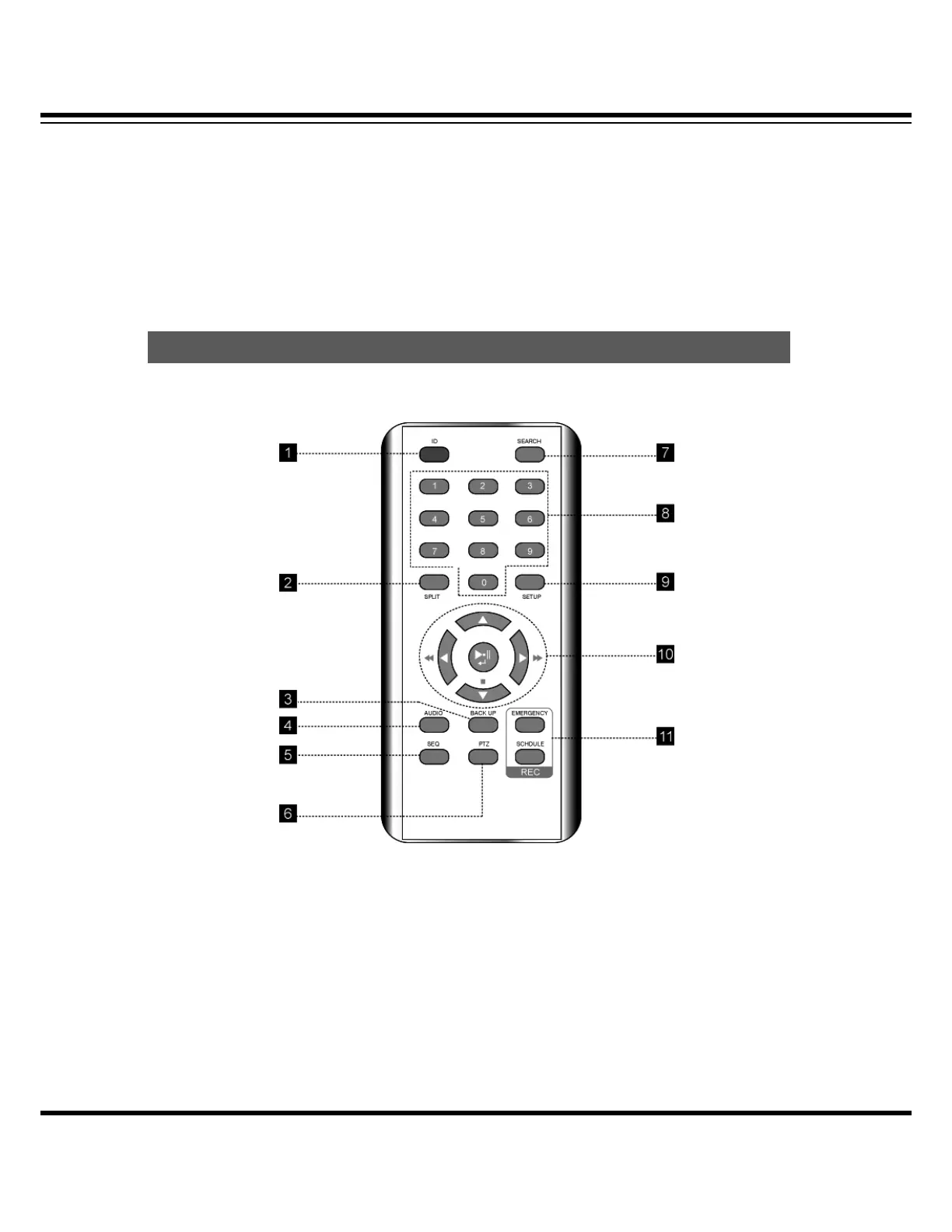
[1] ID (Remote controller ID) : Press to select a remote controller ID in case of using one remote
controller to multi DVRs.
[2] SPLIT : Press to see split mode. Once press “▲” button, split mode can be changed and
press “▶” button to change channel group.
[3] BACKUP : Press to start recorded data archiving to external media.
[4] AUDIO : Select a audio channel.
Remote Controller



 To Next Page