DIGITAL VIDEO RECORDER MANUAL
DIGITAL VIDEO RECODER MANUAL
76
14
—
Remote connection- Andriod phone
14-1 Program installation
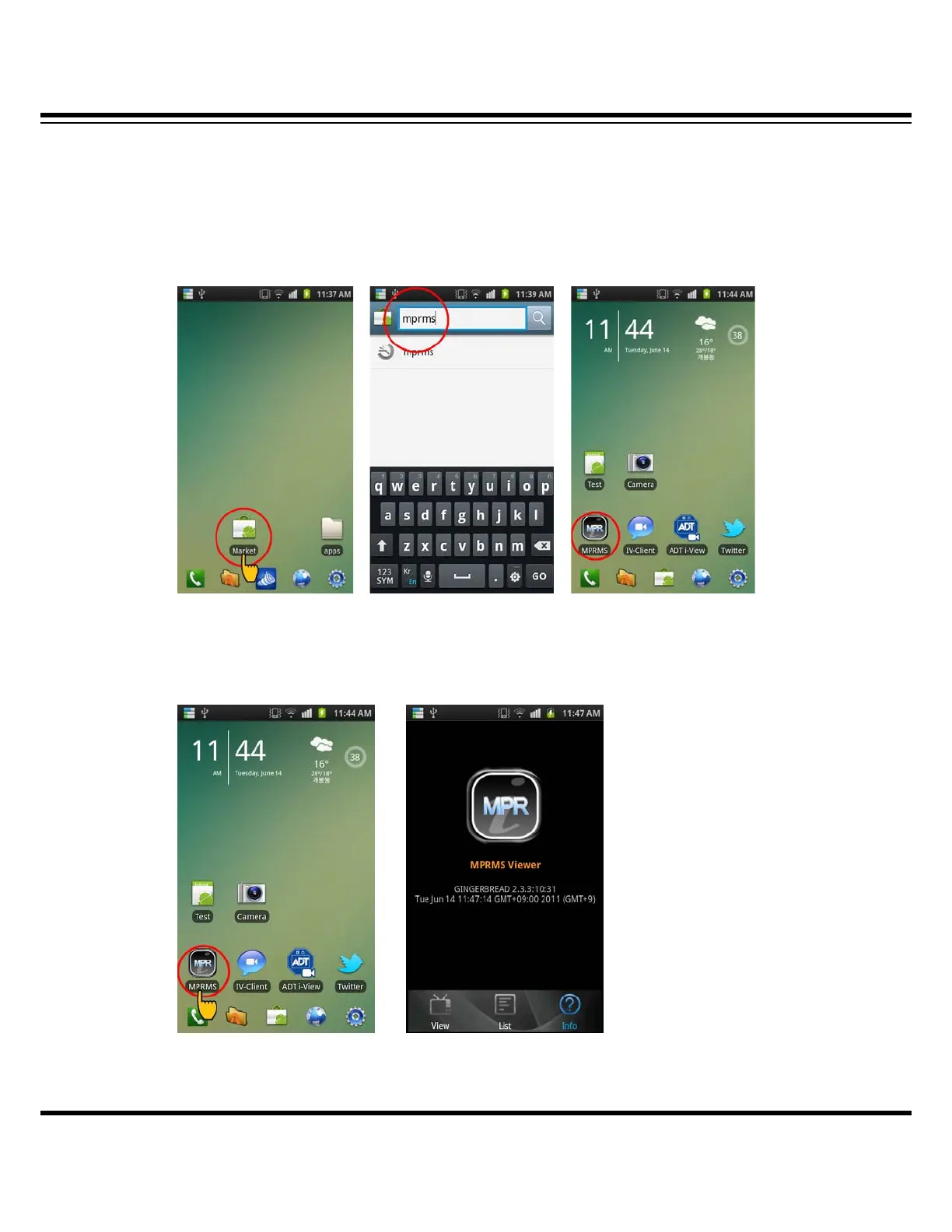
To install the program on Phone, execute the ‘MARKET’ program and download the ‘MPRMS’ and
install it. If the installation is completed, you will see the ‘MPRMS’ icon on main SCREEN
(ORDER1) (ORDER2) (ORDER3)
14-2 Program execution
If you click “MPRMS” icon, it will be executed.
(ICON selection) (Executed program)



 To Next Page