DIGITAL VIDEO RECORDER MANUAL
DIGITAL VIDEO RECODER MANUAL
70
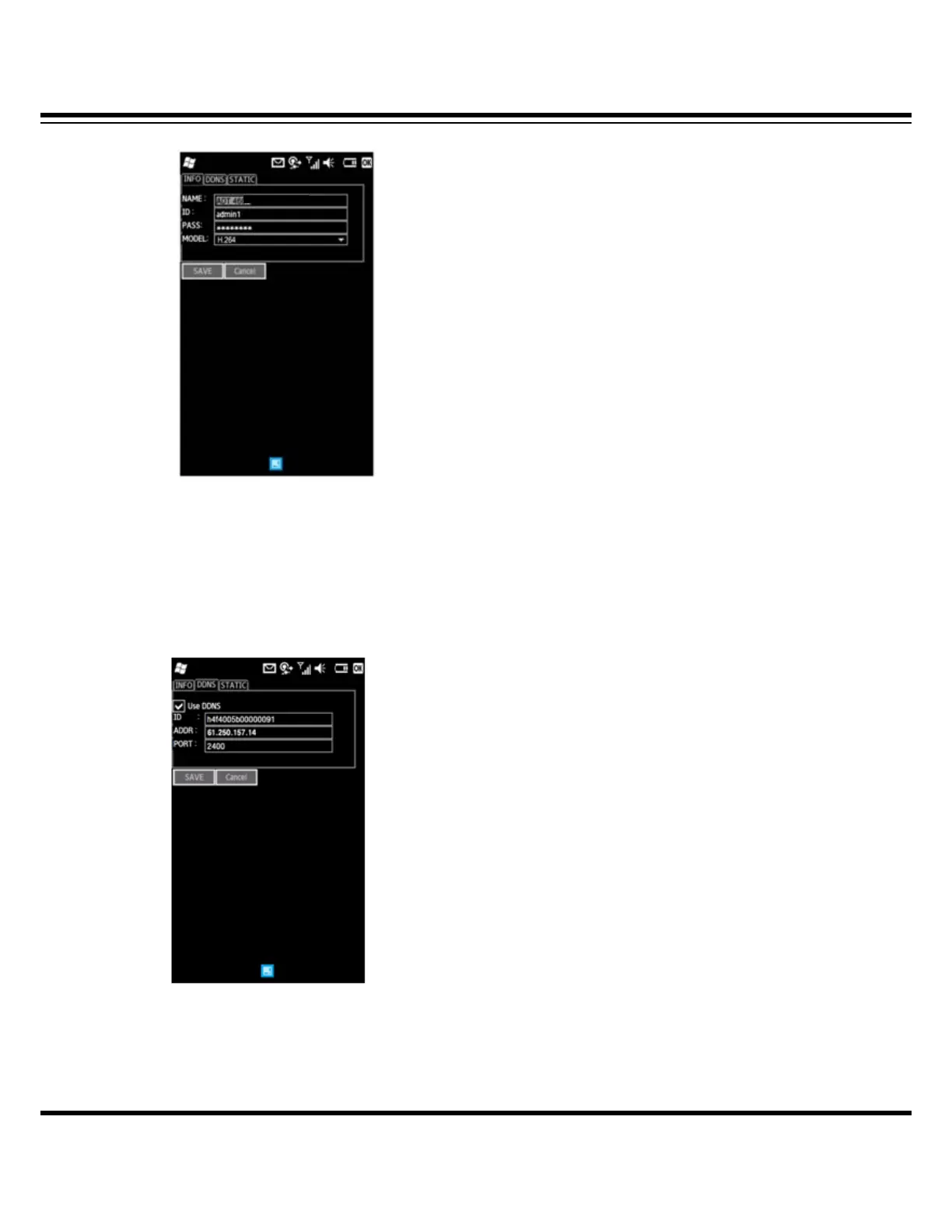
[2] Fill in the required information.
• NAME : Input any name of user’s own accord.
• ID : Input the DVR’s login ID.
• PASS : Input the DVR’s login password.
• MODEL : Select a DVR model among H.264, MPEG-4 and MJPEG.
[3] DDNS
For Dynamic IP user, it supports DDNS service for mobile program.
• Use DDNS : Check on the “Use DDNS”.
• ID : Input the “WEB CODE” of DVR. You can find the WEB CODE information in the DVR’s
System setup menu.



 To Next Page