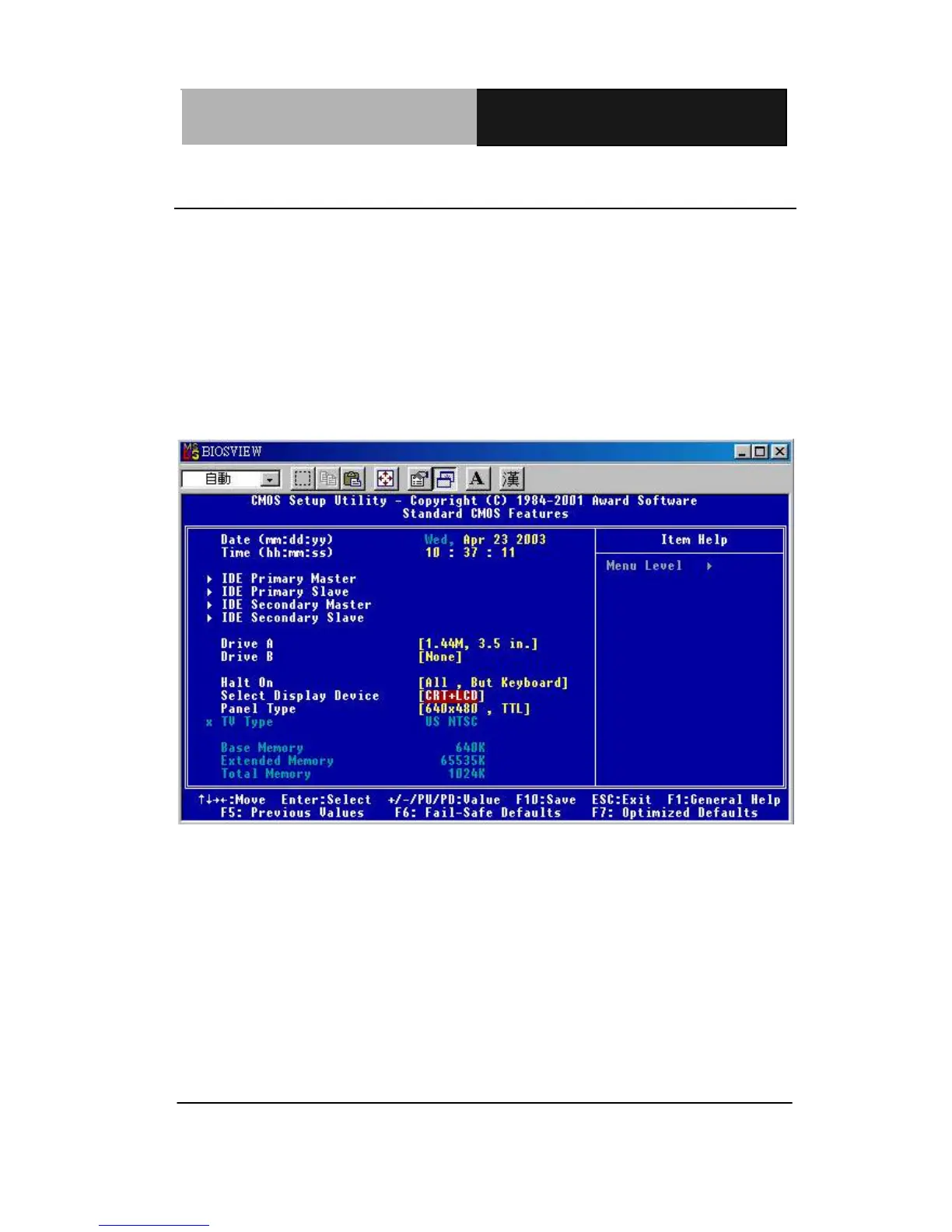
3.3 Standard CMOS Features
When you choose the Standard CMOS Features option from the
INITIAL SETUP SCREEN menu, the screen shown below is
displayed. This standard Setup Menu allows users to configure
system components such as date, time, hard disk drive, floppy drive
and display. Once a field is highlighted, on-line help information is
displayed in the right box of the Menu screen. The LCD&CRT,
Panel, TV Mode, won’t be shown in the bios of PCM-6893.
PCM-6893



 To Next Page