bdiRDI
JTAG interface for RDI Debuggers, BDI1000 User Manual 36
© Copyright 1999-2003 by ABATRON AG V 1.10
B Maintenance
The BDI needs no special maintenance. Clean the housing with a mild detergent only. Solvents such
as gasoline may damage it.
If the BDI is connected correctly and it is still not responding, then the built in fuse might be damaged
(in cases where the device was used with wrong supply voltage or wrong polarity). To exchange the
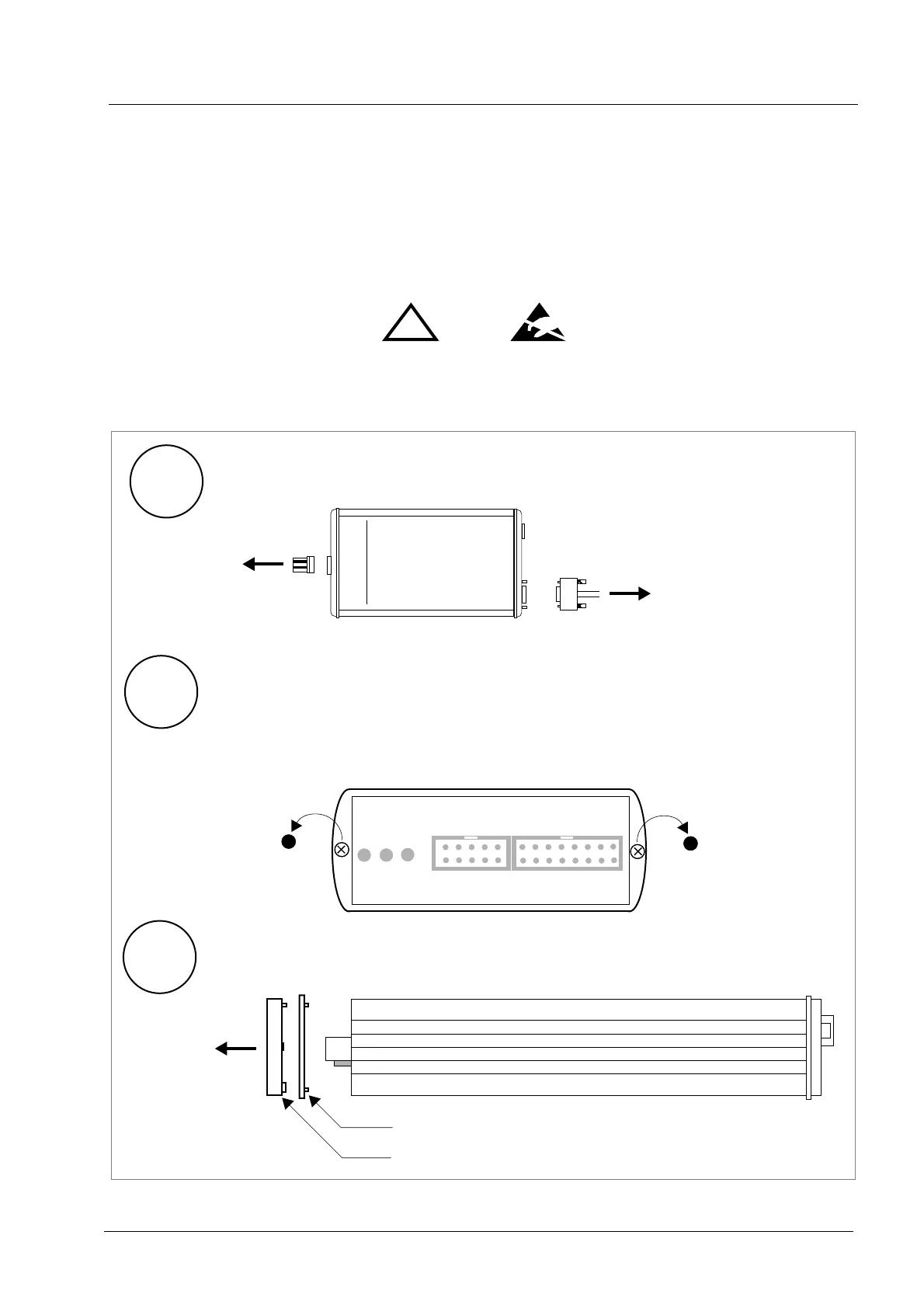
fuse or to perform special initialization, please proceed according to the following steps:
Observe precautions for handling (Electrostatic sensitive device)
Unplug the cables before opening the cover.
Use exact fuse replacement (Microfuse MSF 1.6 AF).
!
1
2
3
BDI1000
AA
AA
bb
bb
aa
aa
tt
tt
rr
rr
oo
oo
nn
nn
AA
AA
GG
GG
SS
SS
ww
ww
ii
ii
ss
ss
ss
ss
MM
MM
aa
aa
dd
dd
ee
ee
1.1 Unplug the cables
2.1 Remove the two plastic caps that cover the screws on target front side
2.2 Remove the two screws that hold the front panel
3.1 While holding the casing, remove the front panel and the blue elastig sealing
(e.g. with a small knife)
front panel
elastic sealing
casing
TARGET A TARGET B
BDI
TRGT
MODE


 To Next Page