USER’S MANUAL
10/ 26
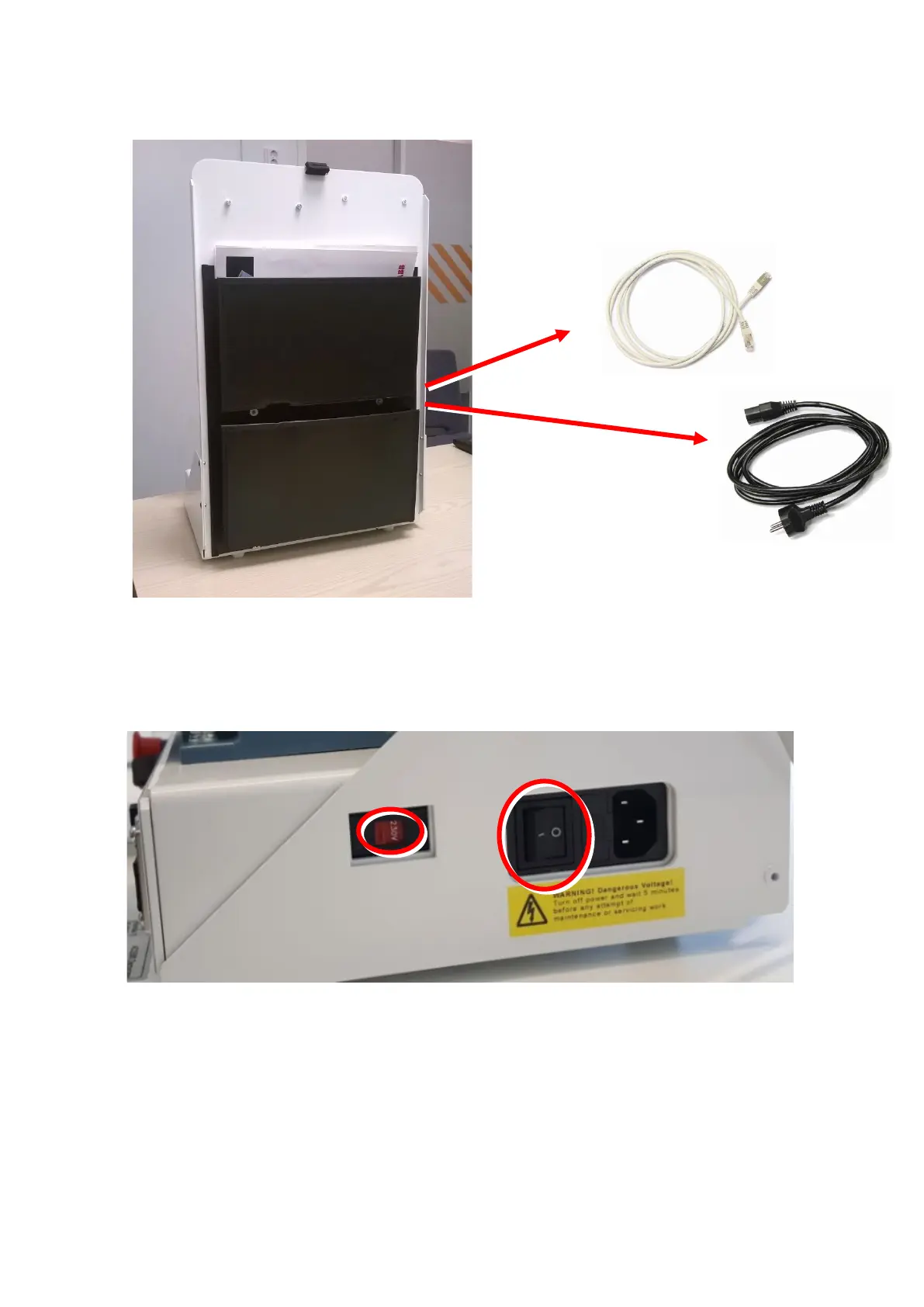
3. Take out the mains cord and Ethernet cable from the pocket at the back of the demo.
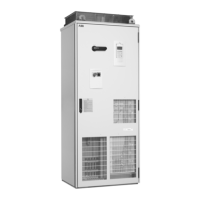
4. Plug in the mains cord to connections marked: mains cord.
Make sure that the input voltage switch (115V/230V) is set according to the supply voltage. For more
information refer to “AC input (supply) connection” in the Technical data section.
Mains cord connection and input voltage switch are located on the right side of the demo unit.
5. Plug in the Ethernet cable for I/O-panel to connections marked: I/O-panel connection A and I/O-pa-
nel connection B on the layout section.
Note: The communication is serial communication and the cable must be point-to-point from
connections A to B. No daisy-chain or bus topology cabling allowed.



 To Next Page