186 Parameters
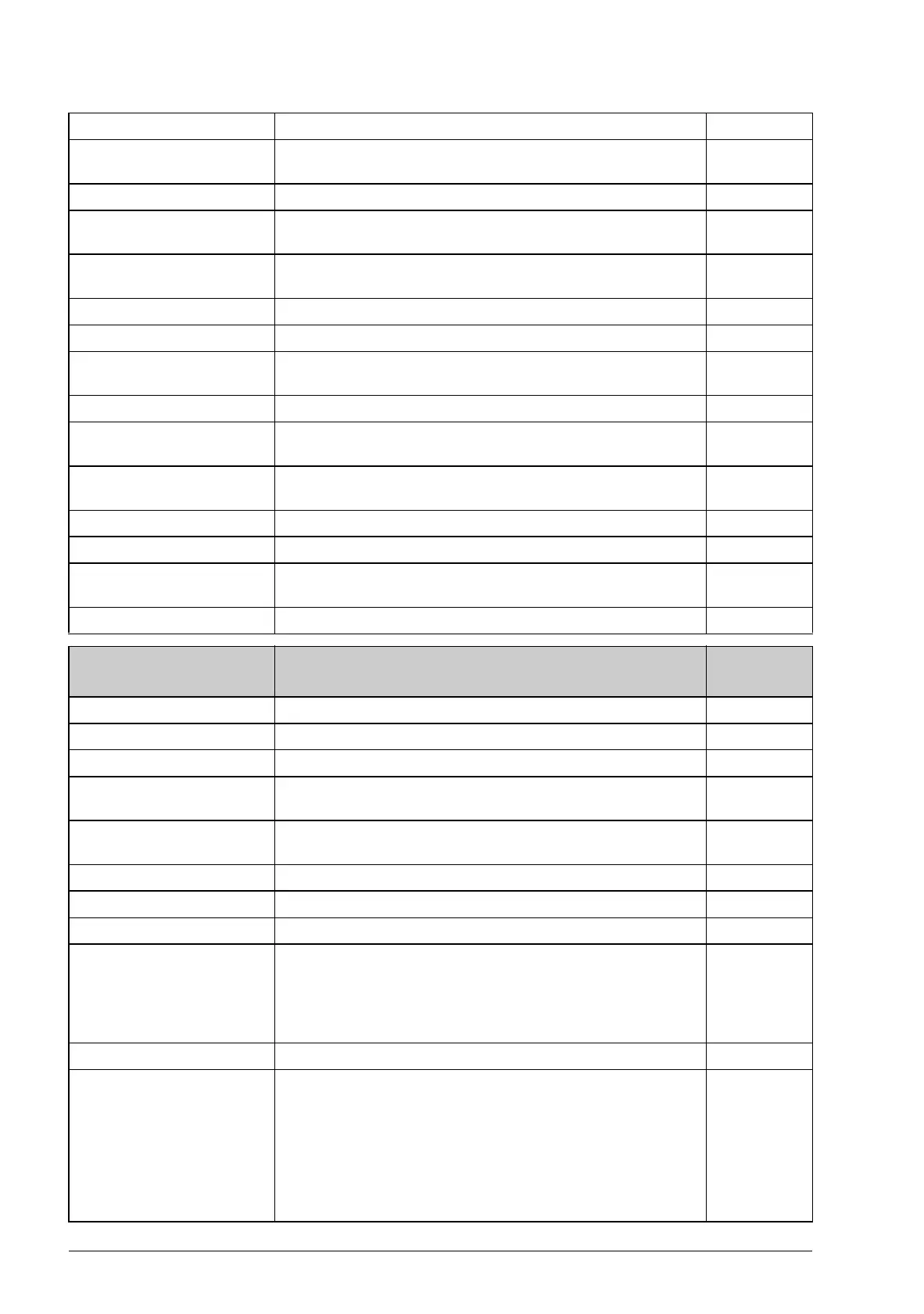
Drive name Shows the drive name. (The drive name can be set using the
DriveStudio PC tool.)
2
Drive type Shows the drive type. 3
56.05 Signal2 mode Defines the way the signal selected by parameter 56.02
Signal2 param is displayed on the optional control panel.
Disabled Signal not displayed. Any other signals that are not disabled
are shown together with their respective signal name.
-1
Normal Shows the signal as a numerical value followed by unit. 0
Bar Shows the signal as a horizontal bar. 1
Drive name Shows the drive name. (The drive name can be set using the
DriveStudio PC tool.)
2
Drive type Shows the drive type. 3
56.06 Signal3 mode Defines the way the signal selected by parameter 56.03
Signal3 param is displayed on the optional control panel.
Disabled Signal not displayed. Any other signals that are not disabled
are shown together with their respective signal name.
-1
Normal Shows the signal as a numerical value followed by unit. 0
Bar Shows the signal as a horizontal bar. 1
Drive name Shows the drive name. (The drive name can be set using the
DriveStudio PC tool.)
2
Drive type Shows the drive type. 3
57
57 D2D
communication
Configuration of drive-to-drive communication. See also
section Drive-to-drive link on page 31.
57.01 Link mode Activates the drive-to-drive connection.
Disabled Drive-to-drive connection disabled. 0
Follower The drive is a follower on the drive-to-drive link. 1
Master The drive is the master on the drive-to-drive link. Only one
drive can be the master at a time.
2
57.02 Comm loss func Selects how the drive acts when an erroneous drive-to-drive
configuration or a communication break is detected.
No Protection not active. 0
Alarm The drive generates an alarm. 1
Fault The drive trips on a fault. 2
57.03 Node address Sets the node address for a follower drive. Each follower
must have a dedicated node address.
Note: If the drive is set to be the master on the drive-to-drive
link, this parameter has no effect (the master is automatically
assigned node address 0).
1 … 62 Node address. 1 = 1
57.04 Follower mask 1 On the master drive, selects the followers to be polled. If no
response is received from a polled follower, the action
selected by parameter 57.02 Comm loss func is taken.
The least significant bit represents follower with node address
1, while the most significant bit represents follower 31. When
a bit is set to 1, the corresponding node address is polled. For
example, followers 1 and 2 are polled when this parameter is
set to the value of 0x3.
No. Name/Value Description FbEq





 To Next Page