ITS2.1 User Manual rev.04/1SEP622750P0001 36
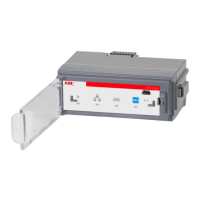
2. Plug the Ekip Display into the front of the ITS2.1.
(1) Plug first in the guide pin at the left side and then the USB connector ( 2) at the right side
3. Fix the Ekip Display by rotating the closing button to closed position by using a screw driver
The ITS2.D can be connected to a laptop for configuration by using the T&P cable unit to the USB connector at
the lower side of the Ekip Display unit.


 To Next Page











