
 Need help?
Do you have a question about the ABB ITS2.1 and is the answer not in the manual?
Details about Slimline XRGOO product.
Details about Slimline XRG1 product.
Details about Slimline XRG2 and XRG3 products.
Details about Inline II ZHBM00 product.
Details about Inline II ZHBM123 product.
Information on Standalone ITS configuration.
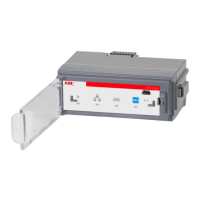
Overview of ITS2.1 unit, LEDs, and buttons.
Important warnings and requirements before use.
Steps to download and install Ekip Connect software.
Details about the Ekip T&P test and programming unit.
Guide to starting Ekip Connect and checking for updates.
Setting essential parameters like switch type and voltage.
Detailed configuration options for ITS.
Configuring Modbus RTU communication.
Configuring Modbus TCP communication.
Specific parameter settings for ITS2.
Parameters related to ITS status and operating modes.
Custom fields and error code explanations.
Details of the Main Page display and its sections.
Information on switch status and ITS operational status.
Details about switch commands and LED indications.
Description of various system alarms and their conditions.
Comprehensive list of measured electrical values.
Details on power and energy measurements.
Temperature measurement and command details.
Key measured values and status indicators.
Tracking minimum and maximum measured values.
Modbus RTU communication configuration and statistics.
Modbus TCP communication settings and information.
Multiplug terminal details for Slimline XRG and Inline II.
Multiplug terminal details for Standalone ITS.
Modbus telegram structure and fault finding.
Details on Modbus RTU cabling, termination, and grounding.
Functionality and LED indications of the module.
Legal disclaimer regarding cyber security responsibilities.
Best practices for secure product deployment.
Setting power direction for Slimline XRG switches.
Setting power direction for Inline II ZHBM.
Power direction settings for other switch types.
Comprehensive technical data for ITS2.1.
List of related documents and their art numbers.
Instructions for connecting the Ekip Display to the ITS2.1 unit.
Behavior of the Ekip Display power LED.
Layout and components of the Ekip Display front panel.
Icons and statuses in the Ekip Display start menu.
Description of icons in the signaling area.
Explanation of the Ekip Display menu navigation.
Structure and options within the Ekip Display menu.
Settings for auto-return and communication parameters.
Device information and various settings like Auto Test.
Fault analysis and methods for common problems.
Contact details for ABB Oy.

 To Next Page
 General










